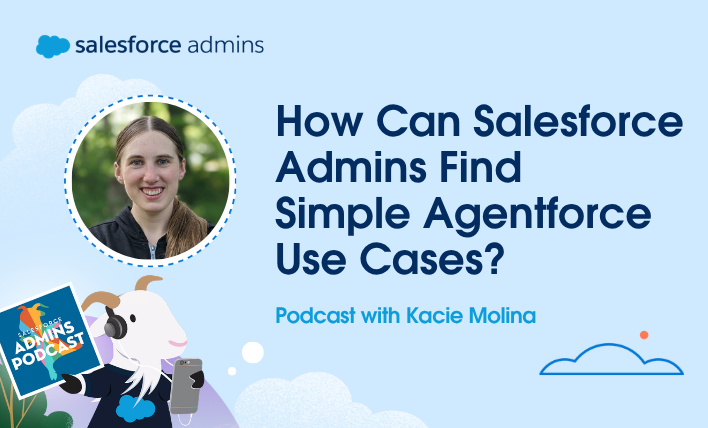
Today on the Salesforce Admins Podcast, we talk to Kacie Molina, Salesforce Consultant at Kawaii Cloud. Join us as we chat about how admins can start small with Agentforce and still make a big impact.
You should subscribe for the full episode, but here are a few takeaways from our conversation with Kacie Molina.
Why you should start small with Agentforce
With all the capabilities Agentforce brings to Salesforce, it’s easy to dream big. Big projects, however, require major organizational investments in time, planning, and execution.
My guest this week, Kacie Molina, has some simple advice for her clients who want to get started with Agentforce: start small. Go back to the basics of listening for pain points and building solutions.
Once you start piling up small wins and meaningful changes, it’ll be easier to get organizational buy-in for something big and bold.
Admins should listen for problems users already have
Agentforce solutions don’t always have to be some sort of major business process overhaul. Those types of changes require layers of approvals, budgeting, and business analysis. You end up spending as much time rethinking the business process as you do worrying about executing everything in Salesforce.
Instead, look for simple use cases. For example, implementing an agent summary field to help users easily see what’s going on with an account without having to scroll through a bunch of records.
“All of those little use cases that maybe are too specific for a flow,” Kacie says, “we can solve them with Agentforce and natural language.” And over time, the simple solutions add up.
Keeping AI work inside Salesforce supports better security
Even if you’re not already using Agentforce, people in your organization are already using AI. The problem is that they’re often exporting data over to their LLM of choice, which creates all sorts of security vulnerabilities.
That’s why Kacie recommends enabling an agent to assist your users. You can use your model of choice, and it’ll be grounded in your Salesforce data and protected by your security configuration. “It shows users that there’s a safe place to get the answers they want without having to worry about breaking company policies,” Kacie says.
Make sure to listen to my full conversation with Kacie about how to start small with Agentforce. And don’t forget to subscribe to the Salesforce Admins Podcast so you never miss an episode.
Podcast swag
Learn more
Admin Trailblazers Group
Social
Full show transcript
Mike:
This week on the Salesforce Admins podcast, we’re talking with Kacie Molina about how admins can start small with Agentforce and still make a big impact. Kacie shares why the best AI ideas often come from listening closely to everyday user friction. The scattered preferences, repeated questions, messy exports, and those tiny gaps that slow teams down.
We’ll talk about building agents that are grounded in Salesforce powered by Flow and designed with trust and security in mind. Because the next generation of admins isn’t just adding features, they’re orchestrating safer, smarter systems where humans and agents work together.
So give it a listen, click that subscribe button, share this episode with an admin who is ready to make AI even more practical for their users. And let’s get Kacie on the podcast. So Kacie, welcome to the podcast.
Kacie Molina:
Thanks, Mike. I am super excited to be here today.
Mike:
Well, I’m excited to get you on. I was a rare occasion scrolling through LinkedIn and I came across a post that you had put up and it mentioned the Agentforce Now workshop that I think you were in one of mine or you’d been to one.
Kacie Molina:
I was in one of yours and it was done extremely well, might I say.
Mike:
You were. Oh, good. Well, I try hard. And you’re talking about coming up with ideas and you’d had some ideas for agents and I thought, “Man, I just think we need some sort of agent brainstorm podcast.” And so that’s why I wanted to get you on. But we’re going to talk about that. But before we get started, tell me a little bit about yourself, like how you got into Salesforce, what you do, all of the fun stuff.
Kacie Molina:
Absolutely. So I grew up in more rural USA, an Amish type community, so horse and buggy. Think maybe Little House on the Prairie, early 1800s. So did a lot of horse training and cheese making with my sister, tended gardens and animals. So my skills when I became an adult were fairly traditional.
So as I was trying to translate, “What do I use my skills for?” I started nannying, childcare, and then I started my own sewing business. And during that phase, I was actually so bad at running a business, so I knew how to sew, but I didn’t really know the business part. So keeping track of contacts and invoicing people on time was such a disaster for me. It was all little handwritten notes.
So I was listening to podcasts and I heard about Salesforce. I logged into Trailhead and fell in love with the gamified learning. So it was kind of no turning back for me. I got my admin certification in about three months, landed a junior admin role shortly after. And it’s been about five years and 10 certifications since then of working on all kinds of projects from in-house to consulting. And I just think like Flows, all think Salesforce. It’s so much fun. And in the day and age of Agentforce, even more fun nowadays. So that’s kind of how I stumbled onto the Salesforce path and it has been way too much fun.
Mike:
Oh man, I bet we could do a whole podcast on the skills of sewing and how they carry over to Salesforce.
Kacie Molina:
We probably could, although I do think Salesforce might be a little more fun. One, because you don’t get poked by needles. That’s a huge thing for me. I don’t even like going to the doctor and getting poked by a needle and I did that for a profession. So I got poked all the time and it’s much less frustrating than trying to deal with broken sewing machines. Salesforce kind of works pretty well. And when you’re dealing with old-fashioned sewing machines, not so much.
Mike:
I could imagine. Yeah. Needleforce, that’s what we’ll call it.
Kacie Molina:
Needleforce.
Mike:
I bet that exists. I think that would be so cool if there was quilting or sewing at Dreamforce. Because I see people on the plane all the time with those knitting needles and stuff. I would love to have the patience to do it.
Kacie Molina:
It definitely takes a lot of patience. So actually, interestingly enough, when I was just getting into Salesforce, Mallory Donahue, she’s such an amazing person I look up to. She was getting into Salesforce at the same time as me and she was also a seamstress. So I think there might be more sewing and needle people out there in the Salesforce world than you might think.
Mike:
Yep. Well, this is the diversion that Mike’s squirrel brain gets on too quickly. But let’s talk about … I was so intrigued by your post, because I feel like even in the workshop that we do, the AgentforceNow workshop that I hosted, I think I’m back sometime in October because I have some vacation in July. We build an agent for Pronto, which is a food service company and it handles questions and cases and order issues.
I mean, I feel like by the end of it, it’s pretty complex because we’ve already built some Flows. There’s some Apex actions that are in there. And so I feel like we’re getting nitty-gritty into it, but your post kind of almost felt like a breadth mint of like, “Hey, have you ever just thought about asking your users five questions or whatever and then turning on Agentforce and giving it on action to do?”
Kacie Molina:
Yeah. I really like the workshop, because it gets into the more complex things and you see how the broader, the depth Agentforce can go to. But for me, when I started looking at … Okay. So I serve multiple clients, and a lot of people are excited about Agentforce and I talk to a lot of admins about it as well, but where do you get started? For me, it was the really simple, small things where people I feel like nowadays more and more are expecting to be able to use natural language. And you don’t really need to build a crazy, big agent that takes multiple sprints to complete. You can turn one on fairly simply to answer a couple simple questions and people can start to see that magic work from even a small start.
Mike:
Yeah. And I feel like, boy, this is me just thinking of that post, but you had really good ideas around not just what I would call the hard aspects of business, which is like invoicing and questions and emails, but also kind of like the soft aspects of business, which is just asking Agentforce to coach you that day or just kind of simple questions that you could give it that would maybe make you as a salesperson or customer service person feel better about what you’re doing.
Kacie Molina:
Right. I do. I think it’s really cool that you kind of came back to the small ideas and I’m actually very impressed you found that post because I feel like not many people see my LinkedIn post.
Mike:
You mentioned me in it, so I got that. But I mean, to be fair though, the small little detail, little things like that are actually kind of the bigger hooks to look for.
Kacie Molina:
They are in there. To me, they’re everywhere. So bigger agent ideas, like there’s a couple things that can be intimidating about them. One, they take a lot of time. Two, you’re always looking for that big idea that is going to wow the whole company potentially. And then it also entails potentially budget and project approval, which you need to get approval for most things that you do anyhow. But the small ideas are something that you don’t really need to take a whole ton of business analysis, say, to get started on it. It’s something that you could know off the start like, “Oh, I see my users asking about this in a support ticket frequently.”
So one example recently I had was somebody who said, “We have these client preferences and they’re kind of scattered in the system and they’re a little hard to find. So is there any way you could summarize them?” And I said, “I think this would be a really good use case for an agent summary field.” So you can build the prompt and pull things together. It’s the little things like that when you’re listening to details that you might not have to go build a Flow or build something so specific for. And that would be my old use cases like Flow all day, every day.
But all of those little use cases that maybe are too specific for a Flow to say, “Oh, we’ll grab this and explain it this way.” It comes out in Agentforce as the natural language and I think that is a huge thing for users that they’re looking to see something that feels like them or feels human so they can click onto a record. Say they go to a client account and then they can see at a glance like, “Oh, this person prefers this and this and they don’t like this.” And that’s much easier than scrolling through a bunch of records.
Mike:
Yeah. I’ve been so busy building agents that I forgot about some of the other prompt builder and the grounded fields that we had. I used to call them sparkle fields, I think like that, because they have little sparkles next to it when you can automatically have Agentforce kind of fill in based on a prompt and that’s exactly it.
I mean, I remember rolling out chatter and I did it probably the wrong way and I turned it on for the whole company and the whole company was like 50 users, but I didn’t give them any use cases. And if I was now to go back, I would’ve picked a team of five people and said, “I’m going to turn it on for you and here’s a use case to use it for.” And I feel like your post was just … It just made me feel less burdened to come up with these extravagant big ideas to use an agent for and it was more like, “No, you can just have the agent totally answer your front door and be like, ‘Hi, we’re not home right now,’ and that’s it.” And I was like, “Oh.” Because I feel like admins are sometimes sitting down and thinking, “How do I make an agent that answers the questions and closes a $6 million deal?”
Kacie Molina:
Right. And then there’s a bunch of, in my mind, you have more selling at that point. So if you’re coming up with a new idea, then you kind of have to pitch it to the company. But something I like about the small ideas I’ve been picking up on lately is that it’s kind of puts us back into our usual admin position where we’re hearing problems and then we’re offering solutions.
So instead of coming up with a new business flow, start to finish of a new agent that can do some flashy thing, which is also extremely cool. You can also take something where somebody says like, “Oh, I export this data and ask ChatGPT about it. Anyhow, I’m already using AI.” And so you can start to hear use cases where you’re not coming up with something new, you’re just solving something they’re already doing in a more secure way.
And that’s another big idea for me is security within Salesforce is so much more attainable for admins. When people start exporting data and loading it up into an LLM that you don’t have control over, that’s a lot more scary for as an admin than if they can just use it from within the system.
Mike:
Yeah. I mean, when you and I talked before we pressed record, you even brought that up. If you’re an admin and you’re in meetings and maybe it’s not even a Salesforce meeting and you hear people bring up a different LLM, what in your mind goes off and what do you think of to do as next steps if you were to help coach admins who are in that position?
Kacie Molina:
Something that’s really incredible about Salesforce that maybe not everybody knows that they haven’t played around with Agentforce yet is that you can use customized models. So it’s not like you only have availability to use the Salesforce model. There’s also, you can bring in different like ChatGPT if you like their open AI’s model, you can use those different AI plugins within Agentforce. So that’s something that goes off my head is if you like something, you don’t have to totally forsake that for something new. So you can feel at home within Salesforce with the different AI models.
And also, if you’re using different AI models, which just like constantly goes off in my brain is that you can do that with way fewer clicks and way fewer security risks if you do it from within Salesforce without having to potentially like fudge on permissions or fudge who has access to it. So that’s something that goes off in my head is like, “Oh, if you’re doing this with AI already, you can just pull that into Salesforce and then you have even more data.”
So you are kind of limited when you export data to what the LLM can see. But when you have it within Salesforce, you have so much expansive broader options that you can use. So you can pull in different records and different things from here and there and you don’t have to be so specific in one point in time. You can re-ask again in 10 minutes if you have information flowing in. So for me, it’s like the different LLMs that are available within Salesforce and data availability is huge.
Mike:
Yeah. I mean, plus once you export that data and take it out of the platform, for many companies, you’re already violating security because that data is housed in Salesforce for a reason and it’s not meant to be used elsewhere.
Kacie Molina:
Yeah, that’s a big risk I think with AI. Most companies I think are using it, whether it’s an approved tool or not. So when you even enable to me a basic agent in a Salesforce or it shows users, “Hey, there’s a safe place where I can get the answers that I want and I don’t have to worry about breaking company policies to get the data I need.” Because we are in a fast-paced world and I know some users, they really do need to get answers that maybe they can’t get within Salesforce today. So they’re exporting data and getting their answers with an AI elsewhere. But if they can have that easily accessible and it’s safe to use, then I think that enables both admins to feel safer about their org and the users to save clicks, save time and get a better answer
Mike:
Absolutely. Back to that workshop, I’d love to know your perspective. So we talk about agents and subagents and even in that workshop we create a subagent to handle, I think it’s returns and refunds, or order issues and refunds. I’m trying to remember it without remembering it. When you’re working with customers or talking with companies about using Agentforce, do you even talk about agents and subagents, or do you just kind of like, “Here’s the magic and I’m going to build everything behind the curtain”?
Kacie Molina:
I usually don’t bring up the different agents and subagents and I guess it depends who your stakeholder is. If there’s somebody who’s more admin-minded and very inquisitive, I would potentially bring it up. But most of the stakeholders, I’m working with bring-me problems and expect me to be the expert and bring them solutions and they don’t really care about the very cool details about agents and subagents I think are so fun to talk about. They just want to see the magic on the end.
So for me, it’s kind of like Flows. I kind of relate most things back to Flows when I’m learning how to code or anything. It all comes back to Flows for me because Flows are magic and they’re so much fun. A lot of people don’t care if you call sub-Flows or you have different components in the Flow. They just want to know when X happens, they see the screen and then magic happens in the background. And I think agents are kind of the same way where they’re really cool to see the backend for people who care, but you can also talk to stakeholders at a higher level without them needing to know that detail.
Mike:
So you talk a lot about Flows. How important was it for you when Agentforce came out that a lot of the power behind what it could do its actions are powered by Flow?
Kacie Molina:
Oh, that was huge for me because it feels like it brings the control back to the admin. So I definitely wasn’t the most happy, quick adopting of AI when it first came out. I was definitely suspicious and I love my Flows and I love doing things manually. So I was definitely suspicious of AI in general and I’ve learned to really love it. And part of that is being empowered to do tasks on the backend. So you have the agents that do all of this, we’ll say agent magic in the background, but then there’s also the pieces that you can build out manually in Flow so you have control over what information you’re pulling, what you’re feeding to the agent, that way you get the predictive and answers that you want.
Mike:
Yeah. And even the builder, I feel like that the new agent builder feels like Flow Builder, because, well, there’s also variables in there, which still worry me.
Kacie Molina:
I do like the UI better.
Mike:
I’m still not the best at better building Flows. I don’t know why my Flow confidence is low, but maybe that shouldn’t have rhymed, but yeah, my Flow confidence is low.
Kacie Molina:
I feel like you’re probably much more of a Flow expert than you’re letting on. I will say though, the new UI gave me a pretty big boost. So the old UI wasn’t quite as intuitive or friendly and that’s something I really wanted to post on LinkedIn about as people who maybe like me, they got their certifications and started doing their Agentblazer statuses on Salesforce when it was earlier. And then when you come back and you see the new UI and ease of use and having things like variables where you feel more comfortable like a Flow, all of a sudden I was like, “Oh, I can really do this this time. This makes so much more sense.”
Mike:
Yeah. And the fact … I mean, we don’t get into it with the workshop, but I’d love to know, have you … So the one thing I want to do is I’d love to have an agent help me build an agent. Have you done that?
Kacie Molina:
Only for testing. So I haven’t done a real life agent building an agent yet, but I did some demo examples just because I wanted to double down on the workshop of how it worked and it really is incredible that you can, one, even if you start, like the agent isn’t building the agent yet and you hit an error. In the workshop, I think intentionally you had a couple things that would error out and we’d have to go fix. That way you get very comfortable with fixing things and throughout the agent, you can-
Mike:
Oh no, I think they threw that in the workshop just to make Mike sweat.
Kacie Molina:
They might have done that too.
Mike:
I know they didn’t. I’m sure the people that built the workshop listened to the podcast, but I know they didn’t, but let me tell you, the first time I had to go into that, I practiced for two days going into script builder. I was like, “Here we go. We’re going to do code and we’re going to do code in front of a thousand people.” And then I forgot my quotes. And I remember half the people in the workshop were like, “Mike, quotes, and then it’ll work.” And I was like, “Okay, cool. So you can tell that I’m not used to this a lot.”
Kacie Molina:
I thought personally it was intentional because it was really helpful for me, because I was kind of just playing along on the side by myself and when I hit the error, I put it into the agent and it found the error, it found the line and it told me exactly what to fix and where to fix it. I think you can even say like, “Do this yourself.” For me, I wanted to get hands on and go make the change, but it can actually implement the change if you want it to if you approve that. So I was really impressed with that and I thought the error was intentional, but that was super fun to see, “Oh, it can help me when I hit errors.”
And also with the coding part, when you see the backend, I thought that was really comforting as well. So I’m not a coder. I don’t really know Apex very well. I can kind of read it. But even with Flows, when you get, this might get a little technical, but when you get into the Headless kind of Salesforce build and you have everything pulled into an IDE and you see everything in the background, when I saw that for agents, I was like, “Oh, this makes sense.” So you can see the front end, like the pretty UI, then you can go into the back end and see the code drivers and be able to change granular things. So that’s another thing I really liked about the new UI is it’s so easy to switch back and forth.
Mike:
Yeah. I’m with you. I actually, because of that workshop, I think I’ve gotten better at just reading. I’ll equate it to a foreign language. I took a lot of German in high school and I can kind of read German or listen to German TV. I don’t know specifically what’s going on, but I got a general idea and I feel like I’m the same way with code. I’m like, “I don’t know specifically all these lines, but I know here’s the inputs and here’s the outputs and here’s what I’m looking for.” I can navigate, but I don’t delve too deep far in.
Kacie Molina:
Right. I want to be writing it from scratch, but I can see what’s going on.
Mike:
Oh, no. No. If they said, “Mike, you’re in prison until you can write code,” I’d be in prison for a while.
Kacie Molina:
Me too. Me too. I’ve tried to learn a couple times and it is on my to-do list. It’s just Flows are so much fun and you can do so much in Salesforce without knowing how to code that you can skate by for a while and not really have to learn. So that is where I’m at.
Mike:
Yeah. You mentioned Headless. So let’s talk about that for a second. I’d love to know some of your ideas for Headless. First of all, explain Headless 360, I think that’s what we call it, Headless 360 to a Salesforce admin who’s never heard it before.
Kacie Molina:
Ooh, this could be fun. So Headless to me means you’re working from Salesforce kind of from the back end instead of the pretty face of Salesforce where you’re normally logging in to Salesforce and updating settings within the Salesforce browser.
So Headless, you’re kind of looking at a developer tool. So I think Headless has probably been around for a while if you really wanted it, but it wasn’t nearly as accessible. So there’s older tools like VS Code where you can pull down the metadata from the org and you can see like the backend of Flows, which is actually pretty cool. The first time I saw Flow in a code editor, my mind was blown. I was like, “What? It looks so different. This is kind of crazy.” And now I can go in and bulk edit and it’s very handy.
So the Headless 360 is really, I think, enabling admins to do that and not needing coding skills. So you can really use natural language, kind of like I was talking about earlier, where you can enable basic prompts and people can use natural language. You can develop Salesforce, even like Flows, fields configuration from never logging into Salesforce. So you’re doing it all from the back end. And of course, you want to log in at the end to make sure it looks good. But Headless is really being able to look at the metadata in its kind of raw form and update it and manipulate it and then push it back into Salesforce and boom, you have the magic happen.
Mike:
Gotcha. I think it’s interesting. I mean, I know we’re going to have a lot of really good sessions for Edmunds at Dreamforce about it. So the rapid pace of AI to me is … I remember doing a podcast just learning about hallucinations and different terminologies like grounding and now we’re all the way how far in and have agents building agents and I’m just like, “Wow, where are we going to be this time next year?”
Kacie Molina:
It is pretty wild. I was playing around with Agentforce, so something I really enjoy as an admin is not writing queries. So there’s lots of things that I can do, but I might not want to spend the time doing tedious tests, like writing long formulas or queries. And I saw with the Salesforce inspector, you can download a prompt and I just put that into my Headless IDE and I said, “Hey, can you push this into my org so I can use Agentforce for querying?” And it took it and it had the wrong version, I think.
So it updated a couple things and it didn’t even need help from me. It was just like, “Oh, this is an out of date version, so I’m going to update this.” And then it pushed it in and then I refreshed my page and I could ask the little Einstein Agentforce character to write queries for me. So it is kind of fun on the backend, you can do so much in so short of a time and it’s just fun to see. Like you ask something and then, boom, it gets created, whereas before it could take hours.
Mike:
For admins that want to be in the conversation about AI with their organizations, what would you suggest they do?
Kacie Molina:
So I think security is one of the biggest places to start and that’s where I try to start is having … Salesforce has good documentation on the different trust layers and how Agentforce works and then cost is another thing. So usually, I’m looking at kind of the different pillars of a project, like the scope of it, the cost of it, and then security as an admin, always a big thing. So backing that up with Salesforce and just understanding that when you use Agentforce that you can keep the data secure, there’s that trust layer there so you’re not just bleeding out your information to the whole world like you might be doing if you put it in some random AI tool.
And then with the cost as well, a lot of companies that I’ve talked with, they wonder, “How do I get started? Do I need to pay for something right away?” And Foundations has been a really great place to start because you get credits every month where you can try Agentforce and you can monitor your billing and it’s safe to use. So that’s something I always say like, “You can start really small with this. It’s not something you need to implement even to every person in the org. You can have a couple super users that you trust and try small, start with Foundations.”
So I think the starting small is where I’ve really doubled down on with clients. That way it’s not a big decision necessarily for the company where it’s such an IT burden and they’re really worried about big things. If you have a really small scope to start with, people tend to feel more comfortable.
Mike:
Yeah. And I mean, with all the features, we always talk about rolling them out to super users or having that kind of core group of people that helps you vet new features and what’s the best use case for your organization. I’m like you, like even the smallest, if you think about it like cracks in the sidewalk, even if you patch two or three of the smallest cracks in the sidewalk, you’ve still made the sidewalk sturdier. Just because you didn’t tackle the big gap doesn’t mean you didn’t improve it. And sometimes, that little bit of friction for users is what really frustrates them too.
Kacie Molina:
It is. It can be something even as simple as searching for a record or seeing your top account. There’s some basic requests that I feel like I see that are so helpful to users, whether it’s like summarizing data, like I mentioned earlier, or being able to search for something. So sometimes people get really frustrated with the search bar and they’re not finding what they want and there’s definitely things you can do to help with that, but I think it’s really helpful when they can use that agent to use natural language and say, “I’m looking for this or I want to create a case with these details.”
When they can use their comfort language and they don’t have to be so technically specific, for non-technical people, I think it’s really helpful. Even for me, even though I love technical stuff, I still really like chatting with the agent like a human. I still say like, “Please, and thank you.” And I like when it’s funny back with me. So there’s something comforting about that natural language I think when you enable it.
Mike:
Yeah, I hear you. Kacie, thanks so much for coming on the podcast. This is a fun conversation. I’m glad you posted randomly to LinkedIn and I’m glad I randomly found it and now you’re a guest on the podcast. I mean, that’s how I find some of the coolest conversations.
Kacie Molina:
I’m really happy you reached out to me about it because it’s something I’ve been really passionate about and have some amazing colleagues I talk AI use cases with frequently. And so I was like, “Yeah, let’s definitely talk about this,” because you can start small and you can have so much fun with it. And my hope for every admin is that they can get hands-on with it, start to use it in their orgs and just have a ton of fun, because that’s what new tools are for, right? Just like Flows.
Mike:
Absolutely. I agree. Thanks so much, Kacie.
Kacie Molina:
Well, thanks, Mike.
Mike:
Big thanks to Kacie, Molina for joining us and reminding us that Agentforce doesn’t have to start with a giant project. Admins can create real impact just by listening for those small moments of friction and designing a secure solution while helping teams work better with data automation and AI. So be sure to subscribe, share this episode and keep the conversation going with your admin community. And until next time, we’ll see you in the cloud.