It’s tempting after seeing an Agentforce demo to want to immediately start building an agent in your org. The reality is there’s a step before configuration: making the metadata make sense. Why? Metadata gives Agentforce the context and structure it needs to understand and interact with your data accurately.
But reviewing all your metadata can get overwhelming fast. The goal isn’t to inspect every piece of metadata. It’s to narrow hundreds of things you could review into the smaller set that actually needs your judgment.
In this post, you’ll discover how to narrow down that metadata review, how to address it in a scalable way, and how to leverage AI, all while keeping you firmly positioned in the decision-making seat. Then, I’ll show you how to conversationally update your metadata so that you can start building your agent with a solid foundation.
Draw a boundary around the Agentforce use case
Instead of trying to address the whole org, let’s start with only the objects, fields, and flows that this new agent will interact with. This keeps the scope manageable, so you can focus on what needs your attention and where to leverage AI for efficiency.
Let’s take this example: Imagine you’re building an Opportunity agent that helps sellers understand what needs to happen next in the sales cycle. The Opportunity object in your org has 23 fields, but the agent’s job depends on a smaller set of opportunity data, related records, and flows.
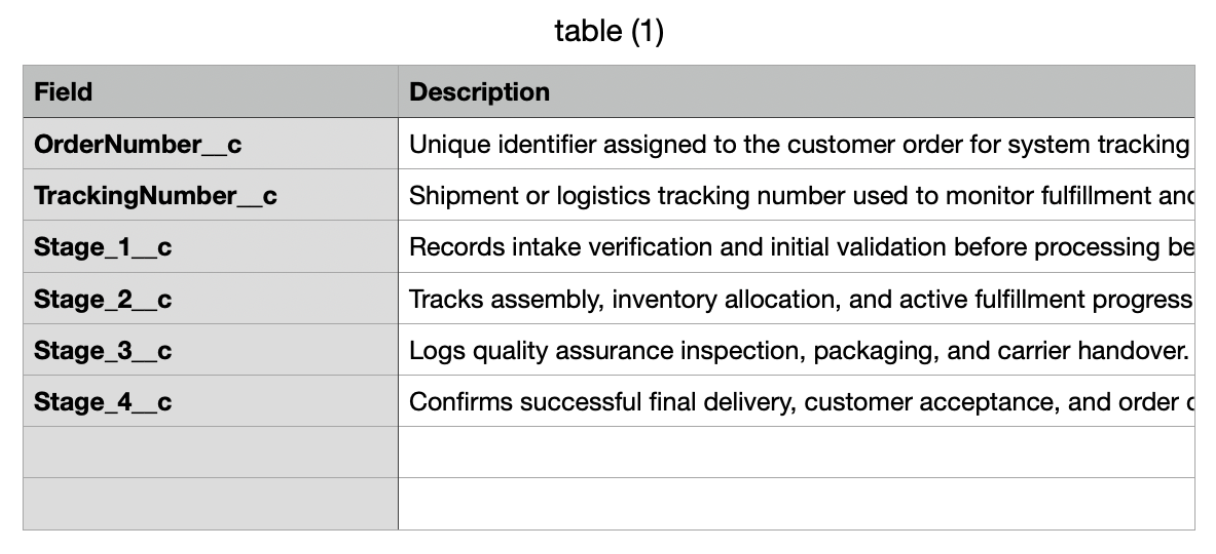
In this example, the Opportunity object includes four custom date fields named Stage_1__c, Stage_2__c, Stage_3__c, and Stage_4__c. When these fields were created, everyone in your company knew what they meant and what data to put in them. Years later, one field label has changed, another lost its description, and one was taken off the page layout because of a process change. Different admins made each of those changes, and none of them documented why.
Tackling this one Setup page at a time doesn’t scale, and it’s not a good use of your time. Instead, let’s find a way to inspect the metadata that matters for this process in one place. That way we can target our attention where it’s needed and use the tools at our disposal for anything we can quickly improve.
Use Vibes to get the metadata
Agentforce Vibes IDE is an integrated development environment, which is a familiar term for developers but one I had to look up. Basically, it’s the workspace where development work happens. In this case, it’s where we’re going to conversationally ask Vibes to help us inspect and work with our Opportunity metadata. To get more acquainted, here’s the Agentforce Vibes Quick Start.
For my examples I’m just using a Developer org (which already comes with Vibes) and I can open it in the browser window. If you’ve never used Vibes, a Developer Edition is a great way to get hands-on without worrying about touching your production org configuration.
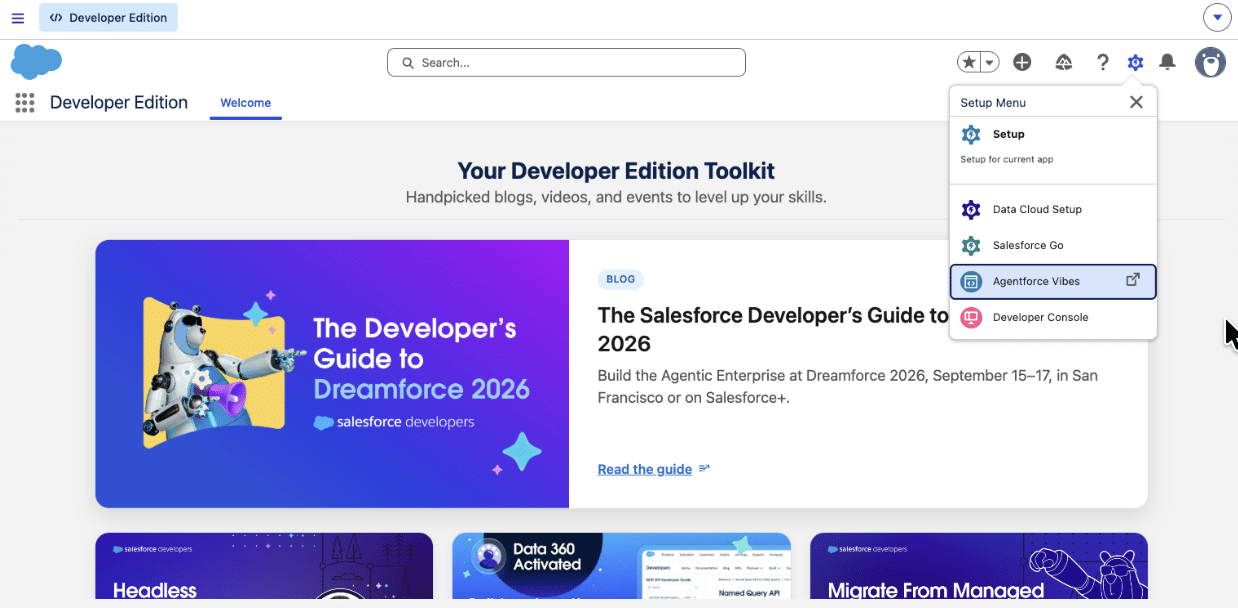
Once you’ve signed up and logged in to your Developer Edition, you can open Agentforce Vibes by clicking the Setup Gear and selecting Agentforce Vibes.
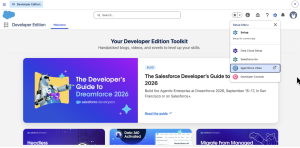
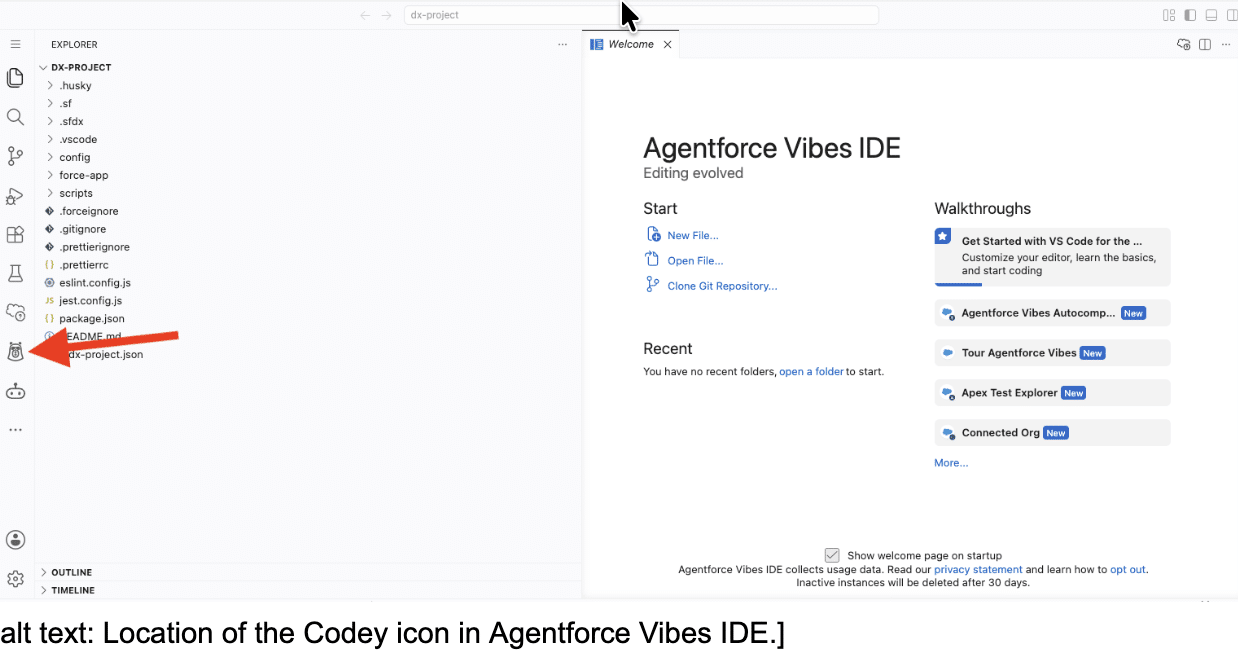
The Agentforce Vibes IDE will open in a new browser window with a Welcome tab open. This has a lot of great information, so after you’re done reading this post, you should come back to the Welcome tab to keep learning.
To get started, click Codey’s icon in the left navigation.
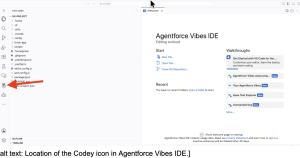
This opens the chat, which lets us conversationally pull our metadata and do a whole lot more. When you click on Codey, it will take a moment for the models to load; you’ll see this in the lower left corner which is right next to the Plan setting. Let the models load and make sure the Plan button is not blue. This is one of a few steps where we don’t need Vibes to plan out a multi-step plan before doing something. We just need it to pull the metadata. But after this, we’ll use plan mode.

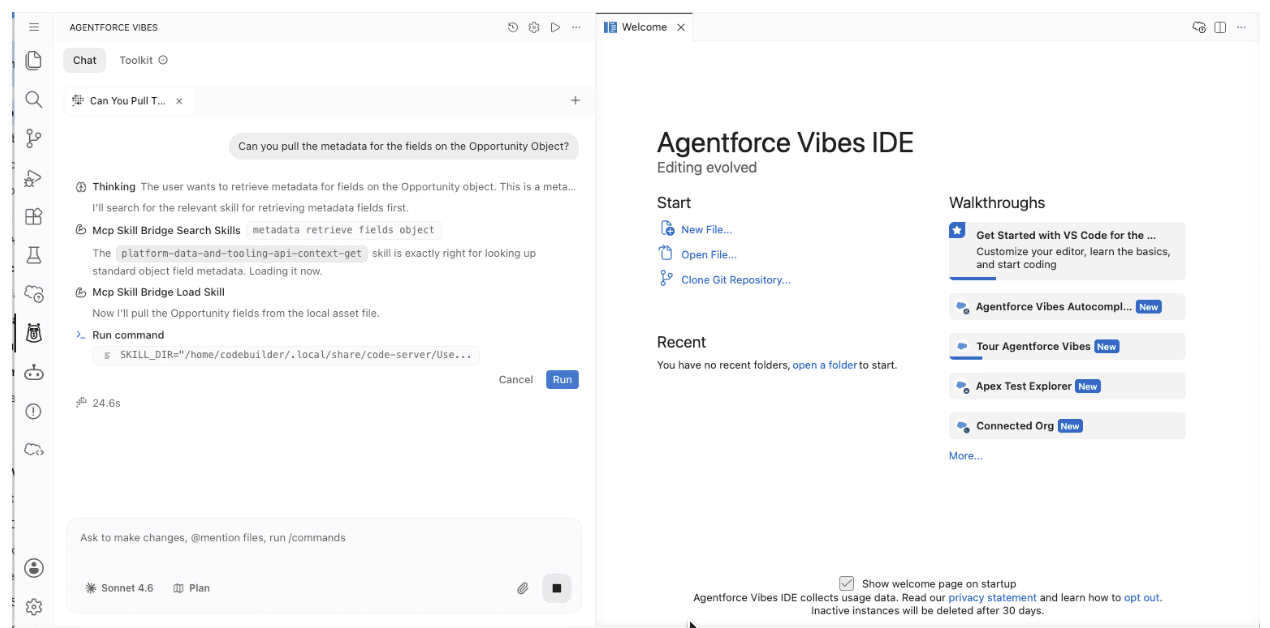
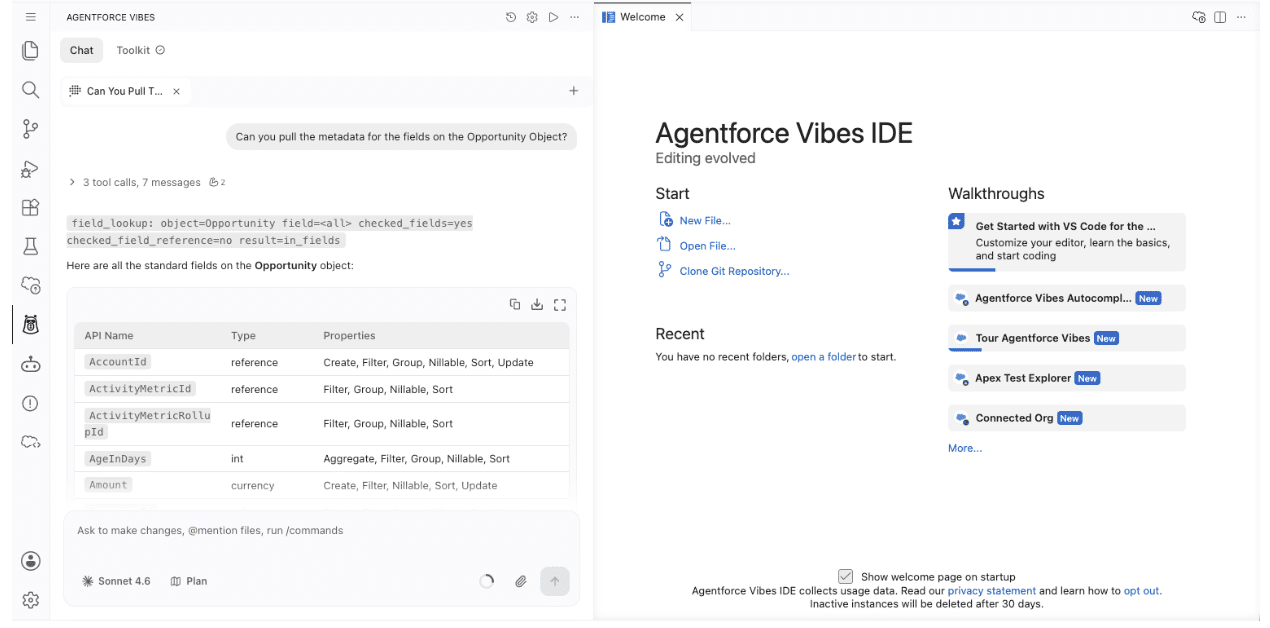
Once the models load, you can copy and paste the prompt below so that Vibes can start pulling the fields and metadata for the Opportunity object. If you want a different object, you can change Opportunity to the name of another standard or custom object. But for this example, I’m using the Opportunity object.
Can you pull the metadata for the fields on the Opportunity object?
Once you press Enter on that prompt, Vibes goes to work. Periodically, Vibes will ask you to run a command. In the example below, it’s loading a skill.
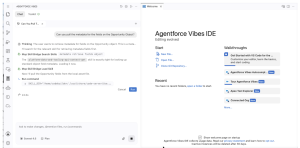
The number of tool calls and messages may vary for you. The first time I did this in my Developer org, it took 5 calls and 11 messages. The second time, it took 3 calls and 7 messages.
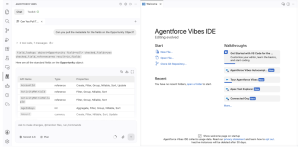
One nice thing to note about Vibes is that its response included a table that I can download as a CSV or Markdown file. That will come in handy for us later. For now I’ll download it as a CSV file and come back to it later. You can also download it later by scrolling back up in the chat.
How cool is it that we just got a whole table of our Opportunity metadata with one question?! Way cool. Now, I need Vibes to go to work for me, evaluating that information.
Use Vibes to surface the gaps
Next let’s use the following prompt to ask Vibes to review our Opportunity metadata and identify where the field labels may describe different business concepts, which fields have missing or ambiguous descriptions, and which metadata may be unused or abandoned. With a tool like Vibes, it doesn’t make sense for us to manually inspect and update all the fields. The goal is to focus our time and efforts on areas that need our judgment.
I want to point out two things in that prompt before you run it. First, the prompt identifies which fields are standard and which are custom, but for this walkthrough we’re only reviewing descriptions on custom fields. Second, the prompt explicitly states not to make any changes. Before you copy and paste the prompt in, be sure that Vibes is in Plan mode by turning the Plan text blue.
Now, copy and paste the following into the chat.
Review the Opportunity metadata.

Do not make any changes.

Identify:
- the type of field, whether it's a standard field or a custom field.
For each custom field, identify the following:
- fields where the label, API name, and description appear to describe different business concepts
- fields with missing or ambiguous descriptions

For each finding:
1. identify the metadata component
2. show the evidence that caused you to flag it
3. explain what needs clarification
4. draft a proposed description when the available evidence supports one

Do not invent business meaning that isn't present in the supplied metadata. Only make claims supported by the retrieved metadata. When the evidence is insufficient to determine business meaning, say what needs confirmation rather than assuming the answer. Only draft a description when the available evidence supports it.
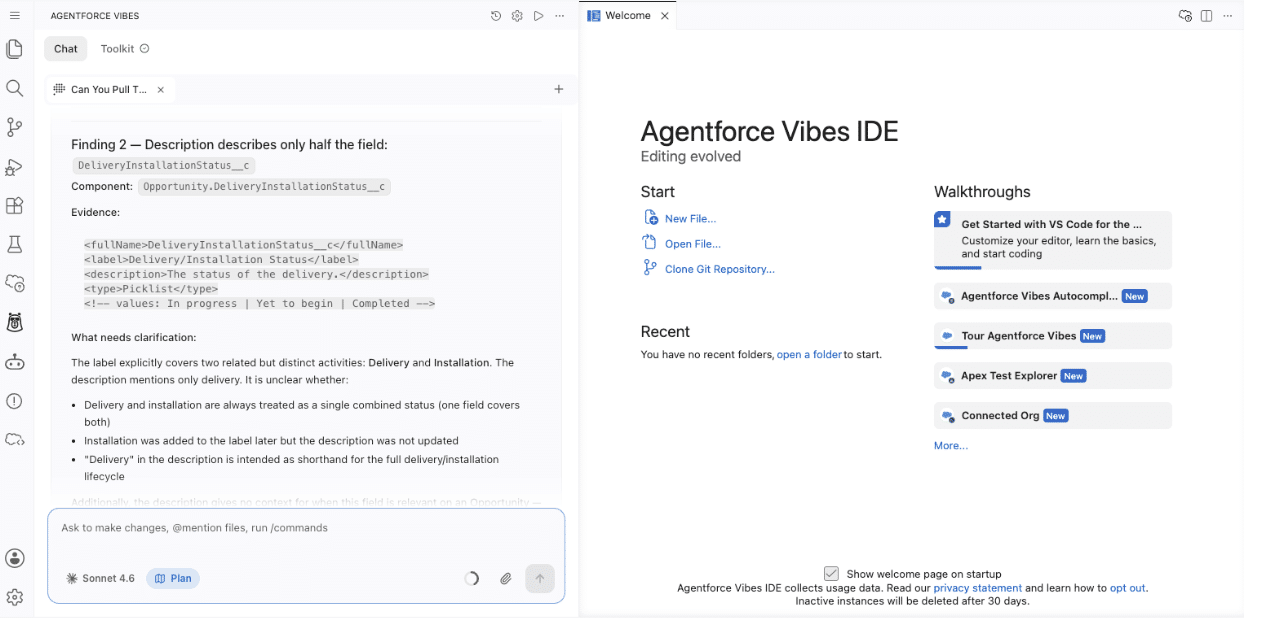
With that prompt, Vibes reviews all the fields on the Opportunity object and divides them into two tables: one for Standard Fields and one for Custom Fields. For each of the custom fields, it evaluates the description and what needs clarification. For example, in the screenshot below you can see DeliveryInstallationStatus__c. The description doesn’t mention anything about installation, only delivery status. This is a field description we need to update so that our agent knows what that field stands for in this case. It also provided us with a draft of a description so we can update it.
“Tracks the combined delivery and installation status for this opportunity. Values: Yet to begin, In progress, Completed. Populated after the opportunity is closed-won.”
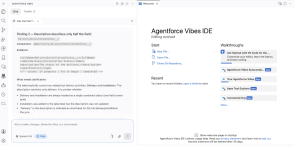
With just two prompts, we’ve reviewed the majority of the fields on the Opportunity object and received proposed descriptions and reasoning behind the fields that need to be fixed.
Let Vibes draft — you decide the changes
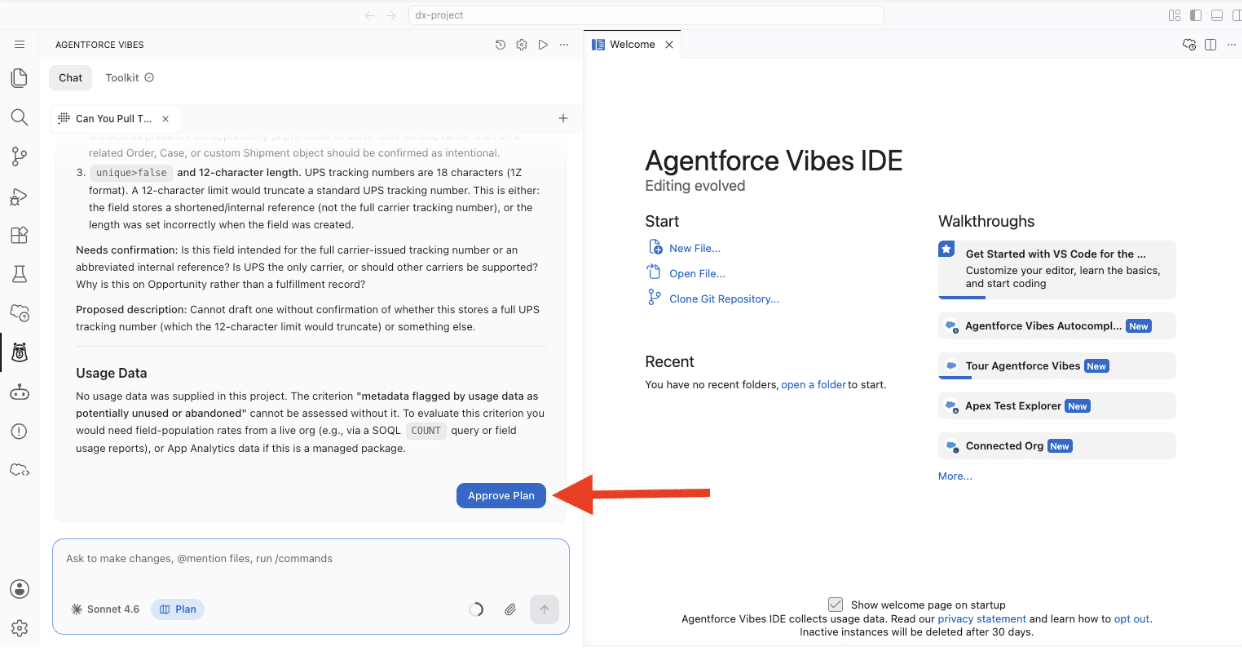
In my testing, Vibes came back with five custom fields, and for three of them, it proposed very well-written descriptions. Now, at scale, Vibes could be proposing descriptions for 50 or 80 fields. Take your time to review the proposed descriptions for the custom fields Vibes could confidently update, and click Approve Plan.
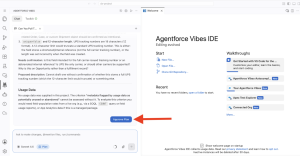
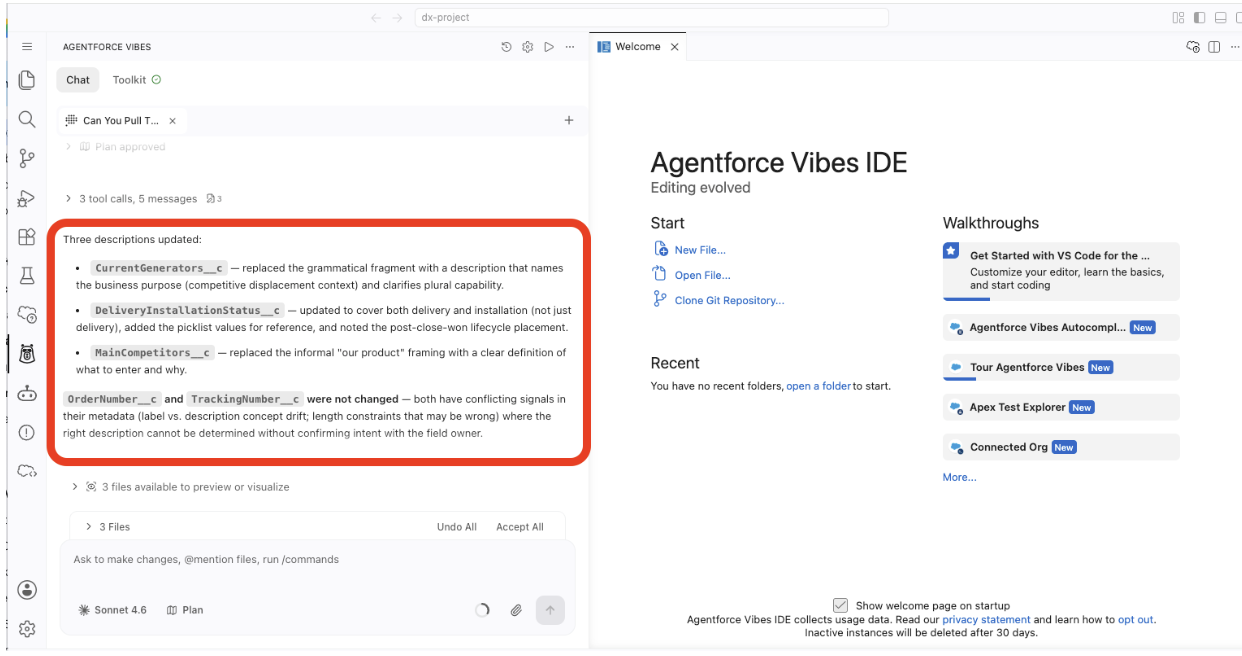
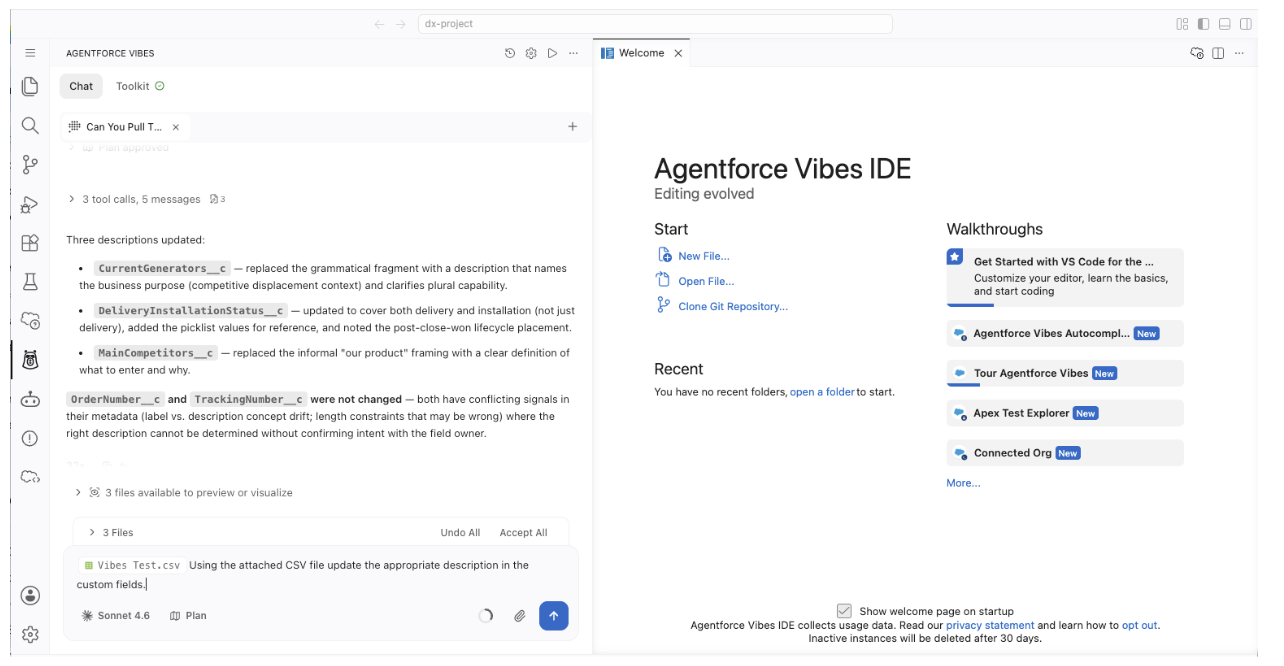
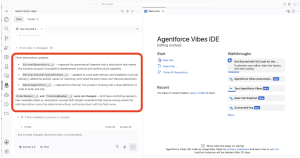
Vibes went to work and updated the fields and the descriptions. After it was done, it gave me a summary of exactly what it changed, which is exactly what I approved. Now, let’s focus on the fields it couldn’t generate a description for and potentially any other custom fields that need our attention.
Separate cleanup candidates from documentation gaps
Just because Vibes flagged fields doesn’t mean you should approach all of those fields the same way. An empty field with no recent values and no apparent dependencies could be a cleanup candidate. But before you decide that, it’s worth checking with the business unit or reviewing your documentation first. This could be a field built for a new app launching in the future. Along the same lines, an active field with a bad description just needs to be updated, not deleted. The practical rule is simple: A cleanup candidate needs evidence before it becomes a cleanup action.
Use Vibes to make the changes
So far, Vibes has pulled our Opportunity metadata, analyzed it, offered descriptions for custom fields that we approved, and even updated some of those fields. All that has given us the time we need to focus on the fields that really need our attention. In my case, it was OrderNumber__c and TrackingNumber__c along with those four stage fields I mentioned at the beginning.
Vibes gave me a useful starting point and got me to where I could focus on just six fields to get accurate descriptions from the business unit. After getting those updates, I wanted to have Vibes mass update them, so I created a simple CSV file just like the one we downloaded earlier.
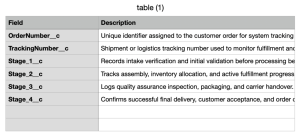
Back in the same chat window, I attached the CSV file using the paper clip icon and the prompt:
Using the attached CSV file update the appropriate description in the custom fields.
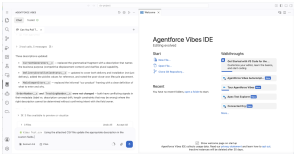
And with just three prompts, I was able to do a cursory scan of my Opportunity fields, have Vibes help me with descriptions, and update custom fields that needed my attention.
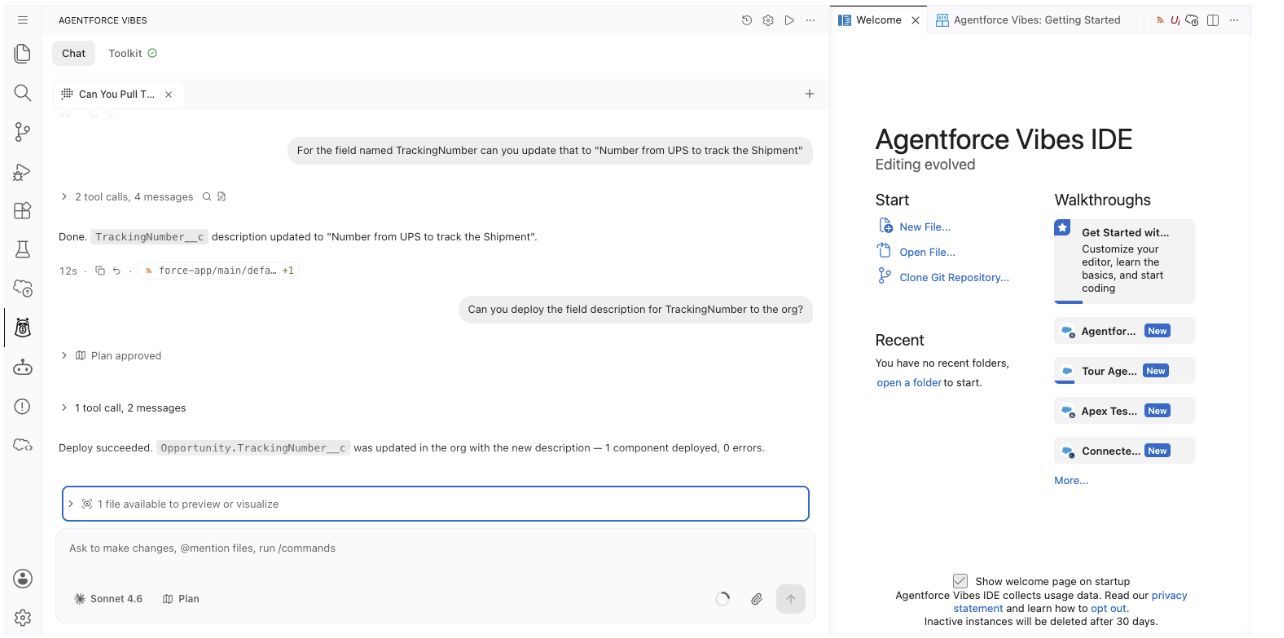
I also wanted to make sure I could conversationally update the description of a custom field without having to attach a CSV file. So I gave Vibes the following prompt:
For the field named TrackingNumber can you update that to "Number from UPS to track the Shipment"
Vibes ran two tool calls and four messages and updated the metadata description for me! That was way faster than going through Setup pages.
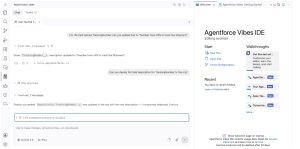
That means that if we’re in a pinch, we can update the description of a field with just a prompt.
Make the review smaller before you make it broader
Preparing metadata for Agentforce doesn’t have to begin with an org-wide cleanup project. We can actually accomplish a lot just by partnering with Agentforce to make the best use of our time.
To recap: Start with the process your agent will support, identify the Salesforce configuration behind it, and collect enough information to understand where the gaps exist.
Then, use Vibes for the parts AI is good at: examining data, finding inconsistencies, organizing evidence, and drafting changes. This keeps the business decision with you because you understand why that configuration exists.
A scalable metadata review should leave you with fewer things to inspect, better evidence for every change, and far less time clicking through Setup just to figure out what needs attention.
Resources