If you’re one of the thousands of Awesome Admins who engage with Flow every day, you know that building automation is often just the first step. The real work, and sometimes the real frustration, begins when you need to verify that your logic holds up against real-world data and complex business rules.
We’re excited to introduce Test Mode, a new view for testing that lays the groundwork for our future testing capabilities and gives immediate benefits to the testing and debugging experience.
What you need to know
-
- Dedicated Test Workspace: Test Mode is a new, dedicated view that replaces the Debug button, merging debugging and automated testing into a single experience to simplify troubleshooting and test creation.
- Reusable Manual Tests (Debug runs): Users can now save their debug runs as manual test scenarios, retaining the exact configuration (including the triggering record and input variables) for reuse or sharing with coworkers.
- Bridge to Automation: Saved manual tests can be converted into permanent regression tests by adding assertions (expected results) and using Apex test classes to create isolated test data for each test.
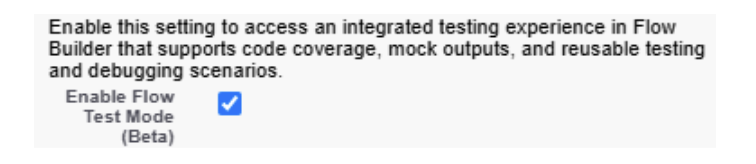
- How to Start Using It: In Setup, go to Process Automation Settings and enable the ‘Enable Flow Test Mode (Beta)’ checkbox.
Empowering admins to maintain better flows
Flow has grown up. With over 690 billion monthly executions and growing, it’s no longer just a tool for simple tasks — it’s the engine powering mission-critical enterprise processes. However, the capabilities for testing your flows still have some gaps that prevent companies from adopting Flow even further.
Debugging and testing currently require separate actions. While you use “Debug” to troubleshoot errors or test flow changes, preventing those errors from recurring necessitates building an automated test. Automated tests transform manual test scenarios into permanent regression tests by using isolated test data and assertions (expected results) to ensure flow reliability. These automated tests must then be run either as part of deployments or run from the Flow UI. For these upcoming features to shine, a dedicated testing UI was essential.
We’re merging debugging and automated testing into a single, cohesive experience to simplify troubleshooting and test creation. Our goal is to remove the barriers to test automation to enable everybody to build reliable, robust flows through easier test creation, thereby reducing maintenance effort and freeing up IT teams to focus on innovation.
A cleaner workspace for testing
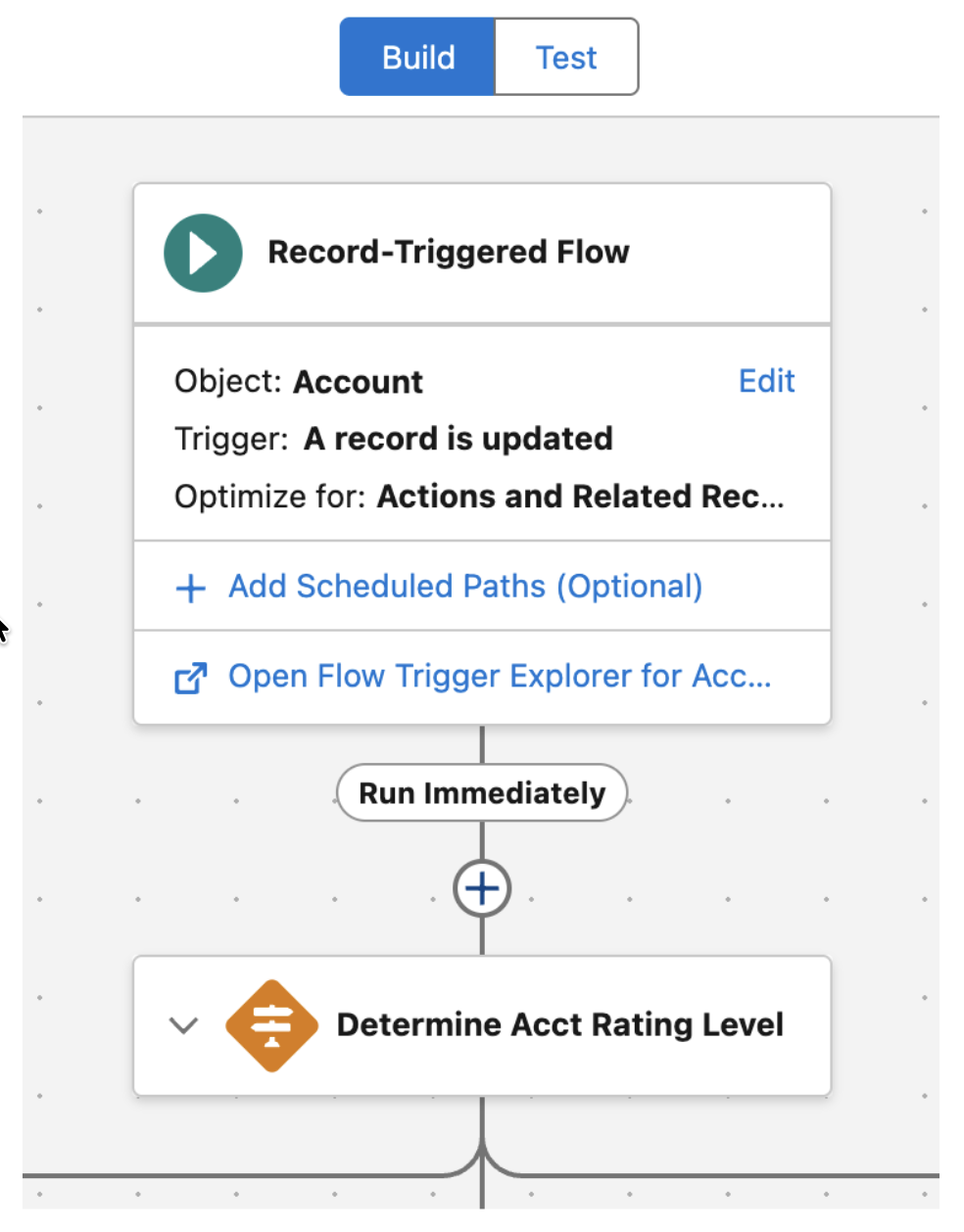
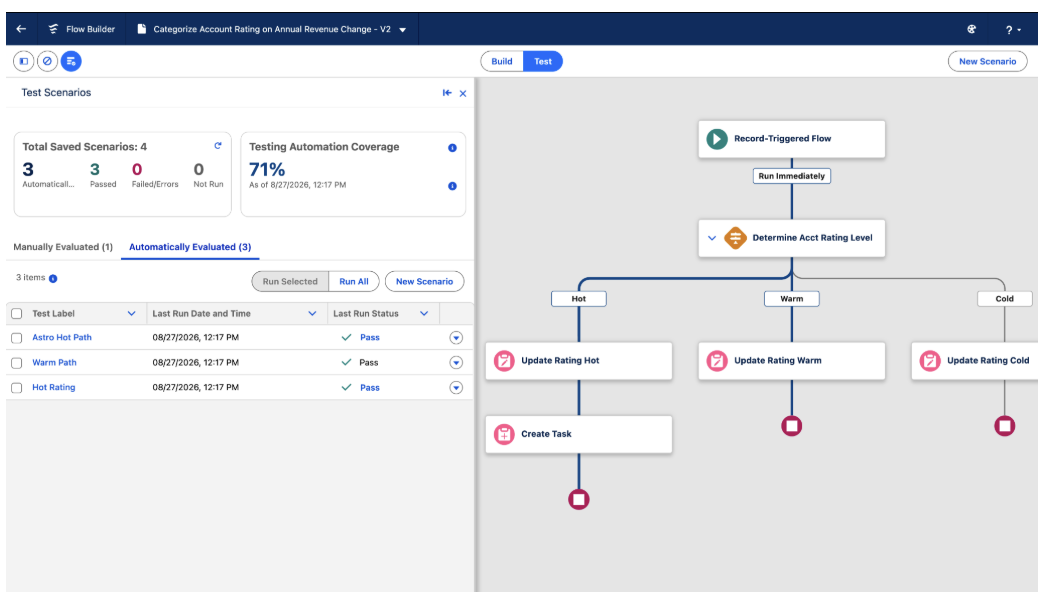
The first change you’ll notice is the removal of the Debug button from the toolbar. In its place, we’ve introduced a new Test Mode button, a dedicated space designed to make validating your work more intuitive.
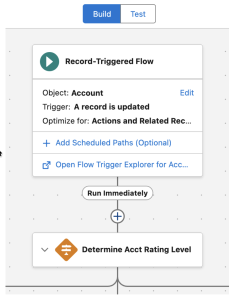
Benefits of the new Test Mode
- A Clearer Mental Model: Most often, you aren’t “debugging” an error; you’re simply setting up then running a test to see if your logic works as expected. Test Mode matches where you begin your testing journey, focusing on validation first and troubleshooting only when needed.
- A Focused Workspace: By separating where you Build from where you Test, we’ve removed the clutter from your design canvas. This gives you a clean environment specifically made for validating and troubleshooting your flow. All of our future testing features will stay in test mode rather than cluttering the design of the flow.
Opt-in to the beta program
To start using Test Mode, check the ‘Enable Flow Test Mode (Beta)’ box in the Process Automation Settings page.
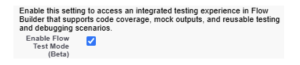
Test Mode will be available in our beta program for:
- Record-triggered flows
- Autolaunched (no trigger) flows
When Test Mode launches, our plan is to support Screen Flows and Scheduled flows. Also note that by opting in, any target org that you deploy a test to will also need the beta feature enabled.
Testing Flow with the new capabilities
One of the most immediate benefits of Test Mode is the ability to save your flow runs as manual test scenarios.
With Test Mode, once you set up and run your flow, you can now optionally save and name the configuration for future use. This saves your exact configuration, including the triggering record, any input variables, and your mocked outputs.
This effectively creates a reusable test you can use later or share with coworkers. You can pull up a library of scenarios (for example, “New High Priority Case” versus “Existing Closed Case”) and run them with a single click.
Think of these manual tests as a bridge to test automation. A saved debug run is essentially an automated test without expected results. Once you save a scenario, you can easily add expected results, known as assertions, converting your manual troubleshooting session into a permanent regression test that protects your flow into the future.
Providing Flow with new test inputs
Our goal is to ensure that all data types can be configured when testing or troubleshooting. With Test Mode, we’re introducing two new capabilities to elevate the test and troubleshoot experience with more on the way.
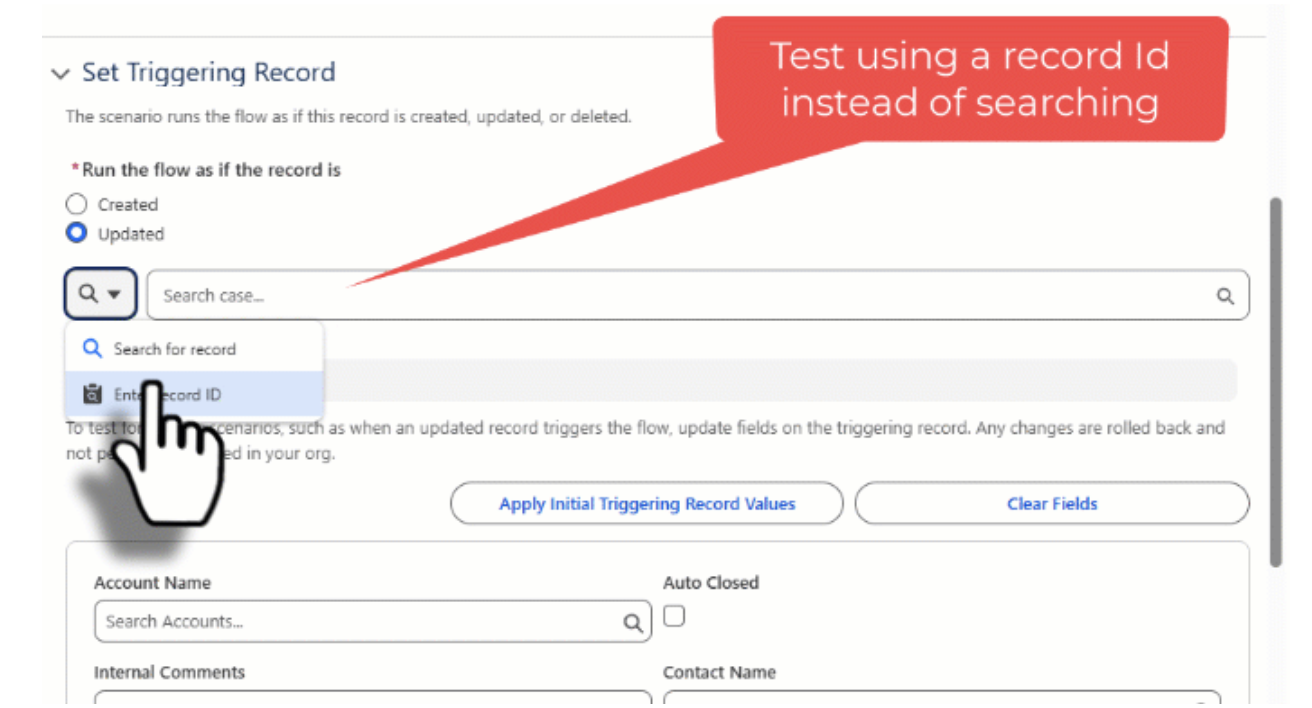
- Provide a Static ID with Record Inputs: You can bypass search limitations by manually entering static 15- or 18-character IDs in the test input panel. This is particularly useful for testing specific records on objects with poor searchability, such as Cases, Campaign Members, Content Document, or Setup objects.
- Basic (Primitive) Collection Debug Inputs: You can now populate basic, or primitive, collections directly in the Flow Builder debugger and automated tests without modifying the flow. For things like Text Collections, you can either enter values as a semicolon-delimited list or select them individually.
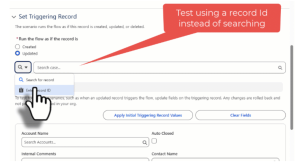
Mocking elements during tests
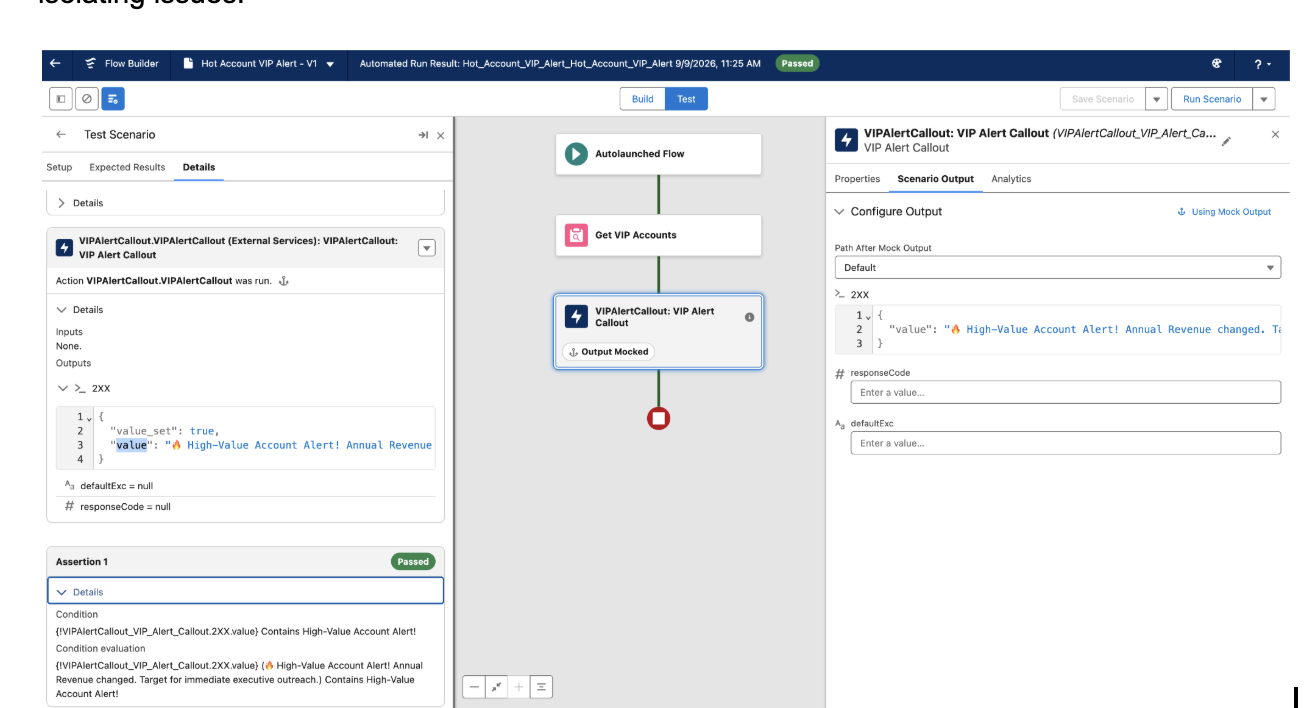
With Test Mode you can now mock, or simulate, the output of subflows and actions. With mocking, you can provide a user-defined value for the output of specific elements without actually executing the element. Need to test a flow that makes an HTTP callout without actually hitting the external API? You’ll be able to define a fake response so you can test the rest of your flow in isolation — a must-have for test automation and making troubleshooting easier for isolating issues.
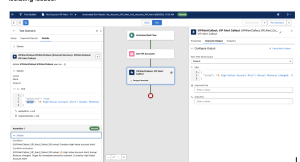
Calculate and view test coverage
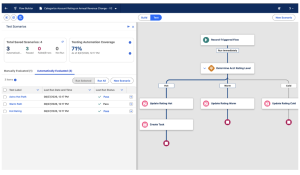
Beginning in Winter ’27, with Test Mode you’ll be able to see how much of your flow is covered by automated tests with expected results. The canvas highlights the covered code paths making it easy to identify paths not covered by tests.
The future of AI-powered troubleshooting and testing
We’re transforming the testing and troubleshooting experience thanks to Agentforce. When logical collisions or runtime errors occur, you’re no longer limited to analyzing a flow in complete isolation. Instead, Agentforce pulls in the entire transaction’s context. It will synthesize Apex triggers, validation rules, user permissions, cumulative governor limits, and more, to pinpoint the exact root cause of failures across complex, chained automations. Backed by human-readable error translations and on-canvas help, troubleshooting cross automation issues that took hours will soon take minutes. Stay tuned for more!
Create tests and isolated test data with AI
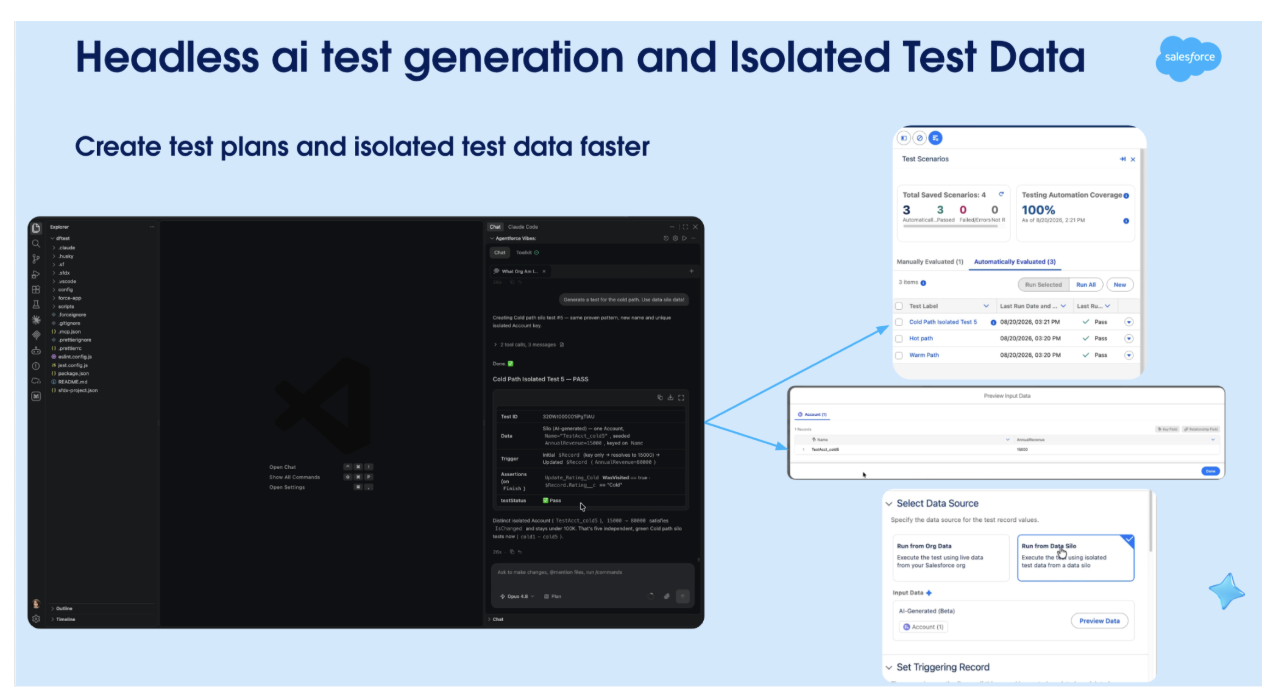
This same intelligence will extend into your pre-deployment testing too, meaning you no longer have to manually seed volatile or tedious test data. Agentforce analyzes your flow’s metadata to automatically generate comprehensive test scenarios, mock element dependencies, and spin up isolated data silos complete with simulated edge cases and required input variables. What took days and hours to stress test your flow will also reduce to minutes.
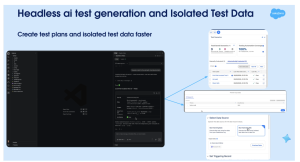
In Winter ’27, Agentforce for Flow Headless will evaluate your flow’s logic and structure to draft a set of test scenarios in your console. Upon your approval, it automatically generates the tests, attaches them to the flow, validates them, and runs the execution.
To further improve your test reliability, Agentforce for Flow Headless can generate dedicated, isolated test data for your scenarios — completely separate from your actual org data. You can inspect this data anytime inside the Test Mode Scenario panel for each individual test.
Get started with Test Mode today
Test Mode is a major step toward making Flow a better enterprise-grade platform. We can’t wait for you to try it out! Start by activating ‘Enable Flow Test Mode (Beta)’ in your Process Automation Settings. Then, open any record-triggered or autolaunched flow and select the Test tab to access the dedicated testing mode. From there, you can configure and save manual test scenarios, and eventually add assertions to convert your troubleshooting into permanent, automated regression tests. We look forward to your feedback as you build more reliable flows!
Resources