At TrailheaDX, EdCast is proud to announce the launch of SalesU 2.0. This is an updated version of our Sales Ramping and Enablement Suite. This blog post is a sneak peek of what you as the Salesforce Admin can do with SalesU to build apps faster without code. It also means you can empower other teams in your organization, such as documentation, support and product managers, to help you build better business apps. Let’s check out these #AwesomeAdmin features…

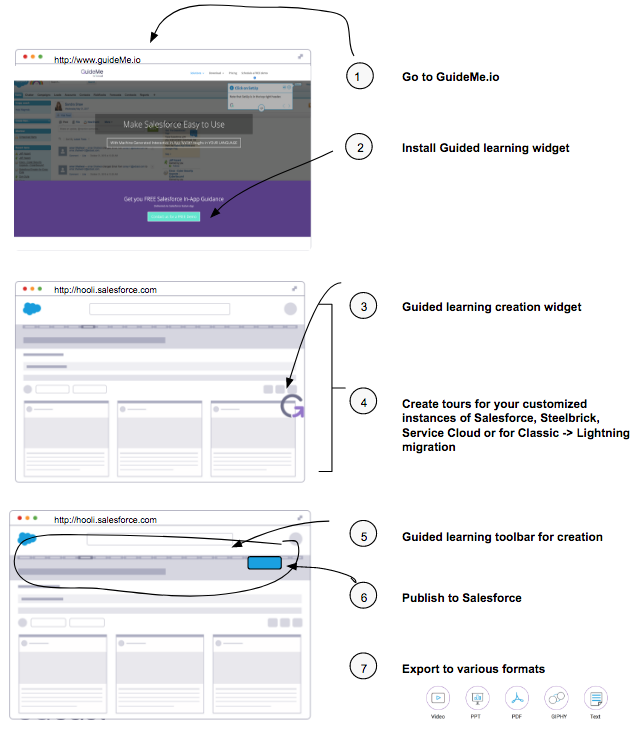
SalesU GuideMe: As the Salesforce Admin, you can use In-app guidance software to create walkthroughs of your customizations or sales tools (for example Salesforce, Apttus or Steelbrick) in 30+ languages. Each time a configuration changes, a tool is incorporated, or a new set of users is added, you can create an updated walkthrough to address it in just minutes— keeping your sales teams up-to-date. This saves frustration and reduces unproductive time. GuideMe facilitates simple one-time implementations that are easily used by every sales team member for every usage instance after activation.
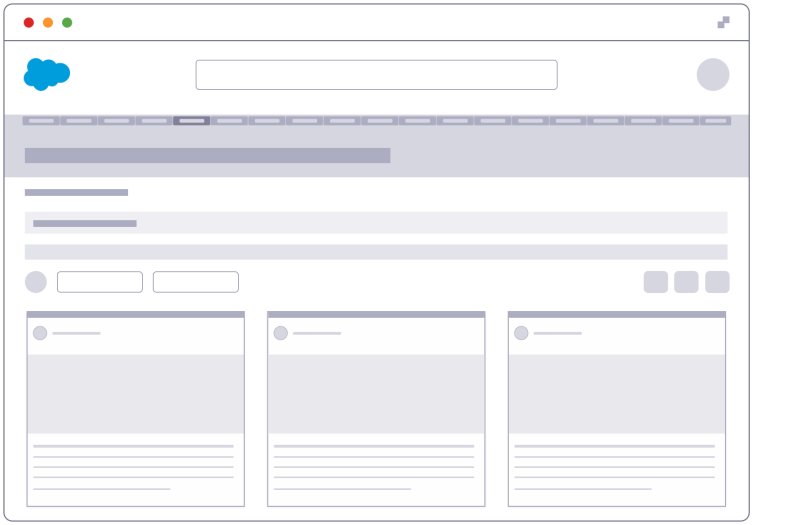
SalesU Insights: SalesU Insights are real-time contextual knowledge from both internal sources, (for example: via Box, Sharepoint or Google Drive) and external premium content providers- (for example: Bloomberg, Crunchbase, Hoovers or DataFox) surfaced directly inside a Salesforce account or opportunity. This information can be specifically tied to opportunities such as competitive analysis, account insights, or management team profiles. Or it can be more broadly related to sales or that class of opportunities. For example: marketing collateral for that industry sector, all organized by stages, industry and content types.
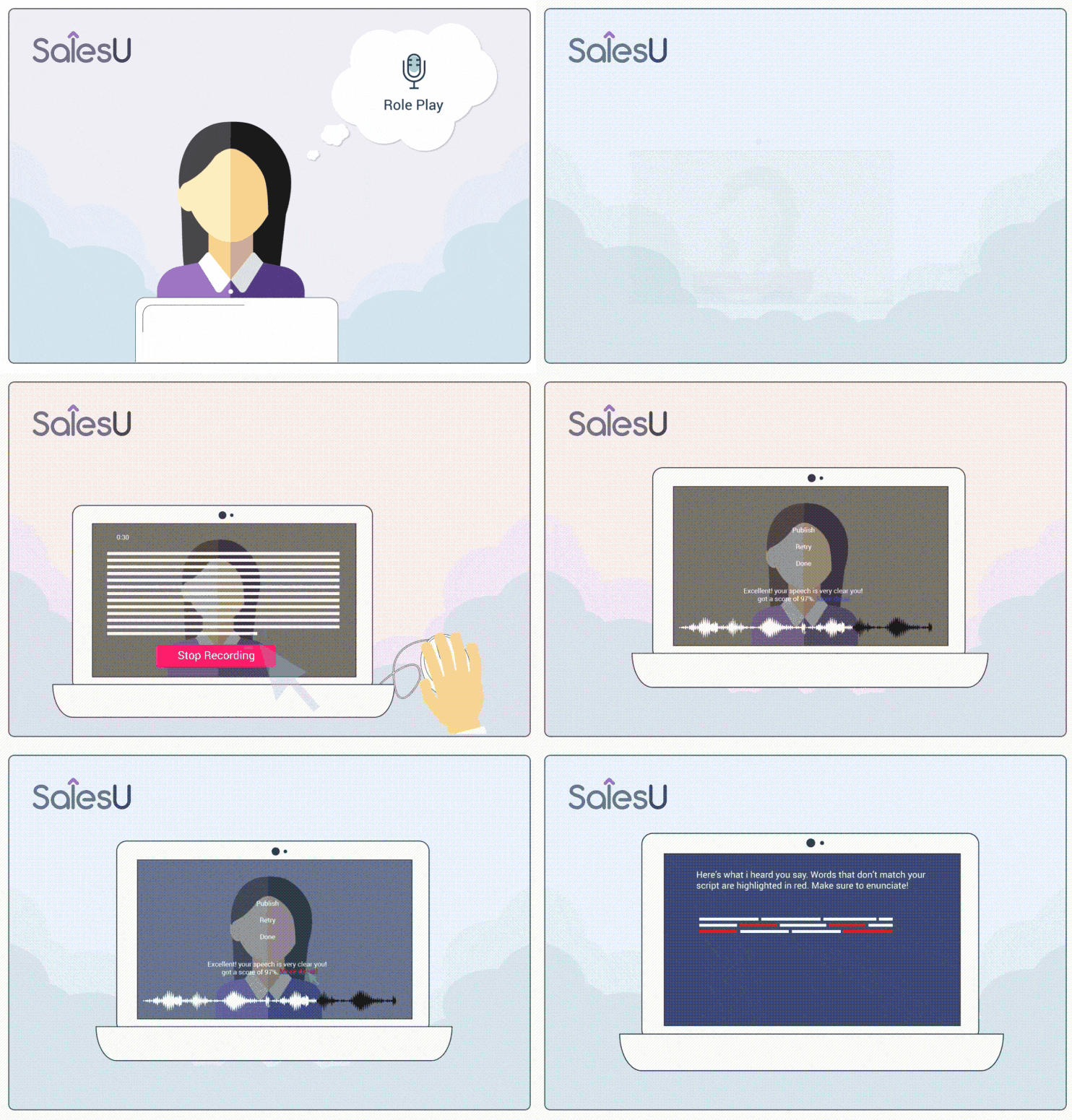
SalesU Coach: SalesU Coach is an AI-powered role-play and mentoring app for helping create perfect sales pitches and demos. With a simple selection of a button on the app, a rep can record their pitch or demo, and then almost immediately receive feedback from their manager, peers or via AI-powered feedback.
Selected recorded pitches can also be made available in Salesforce via specific accounts or opportunities. Now new sales reps can ramp faster and experienced reps can more efficiently get up-to-speed with new product capabilities and sales tactics.
Step 1: How to create my first guided tour for free with GuideMe?
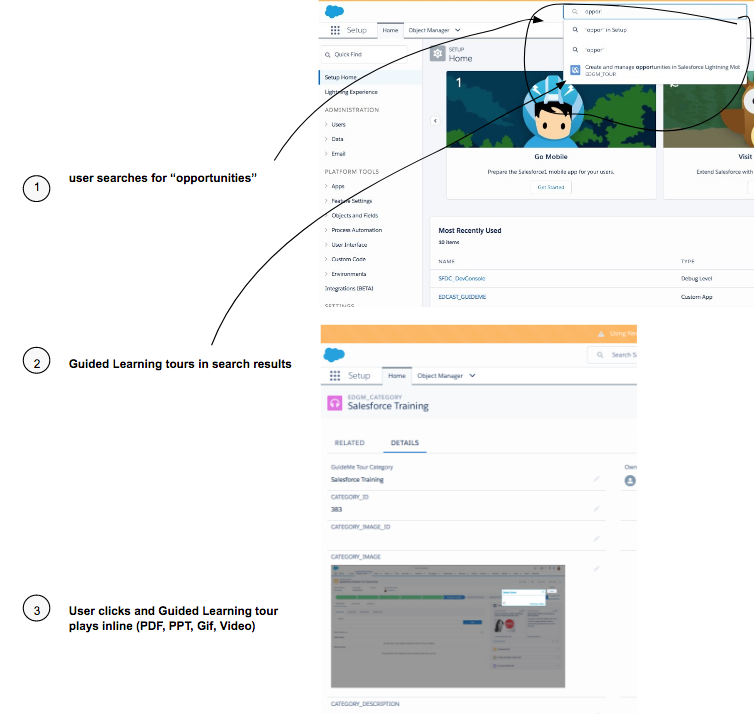
Step 2: How to search and view guided tours?
As a Salesforce admin, ou will love SalesU and GuideMe because they can help you customize your instance of Sales Cloud, Service Cloud or Steelbrick – and easily educate all their users – in two simple steps.
About EdCast
With customers that include GE, HPE, Dell EMC, Shire, Accenture and others, EdCast has been working hard to update its cloud-based knowledge management solutions and ensure they are fully integrated with the latest Salesforce technology and solutions. SalesU’s Lightning-ready product on the AppExchange elevates sales productivity solutions to the next generation of cloud computing. The SalesU Suite addresses sales team productivity across three dimensions, which are the three core pillars of our new platform (now available on Salesforce AppExchange).
If you’re curious to learn more about SalesU before you meet us at TrailheaDX, here are some resources to help you get started for free:
- Create in-app training for your next customized project using SalesU GuideMe
- Download the SalesU Coach mobile app from iOS app store
- Access the SalesU for Salesforce Administrator Guide
- Follow us on Twitter @edcast
For those attending TrailheaDX in San Francisco on June 28-29, we invite you to visit the SalesU booth and see how we can help you extend your Salesforce solutions.
We’re also presenting at TrailheaDX in a session called “EdCast: Extending your Salesforce Solutions with AI.” Add it your bookmarks on Agenda Builder for TrailheaDX using Salesforce Events.
Questions? Let us know at salesu@edcast.com