Just as our world has become AI centric, it’s hard to see a working world in which you won’t hear about vibe coding. Vibe coding is an amazing shift in how applications are built, using natural language in a conversation to control how a solution is being built.
Agentforce Vibes is Salesforce’s implementation of it, where you can use natural language to build and customize Salesforce faster, right from your coding environment. Let’s break down what vibing means today and explore what you, as an admin, can do to bring it into your world.
What exactly is vibe coding?
Programmers should be familiar with the idea of pair (or peer) programming, which gained some notoriety over a decade ago when it became a popular way to break programmers out of problem areas by having another pair of eyes to help guide and troubleshoot. Some developers will even attest that simply having someone over their shoulder was the difference they needed to see the problems in their solution. Vibe coding brings that experience into the world of AI, using a large language model (LLM) to help you answer questions and ultimately build out stronger solutions for you.
Agentforce Vibes is currently accessed through a coding environment that may feel unfamiliar to admins accustomed to the traditional Salesforce interface. Even so, its capabilities point to meaningful productivity gains as the experience continues to evolve. When admins have access to Vibes, they have access to a wealth of options to help their organizations run better. A few potential admin use cases Vibes will be perfect for:
- Data Modeling: Vibes can create custom objects or add custom fields to existing objects. This can be a time-saving tool for admins looking to quickly append to their data model.
- Summarizing and Analyzing Flows: If you need a detailed description of what a flow is doing, how it’s doing it, and how it could do it better, Vibes has your back.
- Writing SOQL Queries: Need to get some data but not quite sure of the right syntax in SOQL? With a complicated enough data model, it’s pretty easy to do—but Vibes can help assess your needs and write the query for you.
- Identifying Automation Gaps: Given your data model and current automation solutions, Vibes can help recommend new flows or other solutions to make your org more efficient and user friendly.
- Deployment to Orgs: Vibes provides a safe space to have a conversation with your org, offering insights and analysis along the way, before deployment. Out of the box, Vibes understands the org you were logged in to when you initialized it and works in your sandbox—giving you a worry free environment for building out new solutions.
How to get started with Agentforce Vibes
Currently, Agentforce Vibes works as an extension to Visual Studio (VS) Code, a free and cross-platform bit of software from Microsoft to help with building in a wide variety of environments, including Salesforce with the right extensions. The great news is—thanks to Agentforce Vibes IDE (formerly Code Builder), a browser-based, cloud-hosted version of VS Code—if you have a paid license (production or sandbox), you can access a version of Vibes right from the Setup menu dropdown.
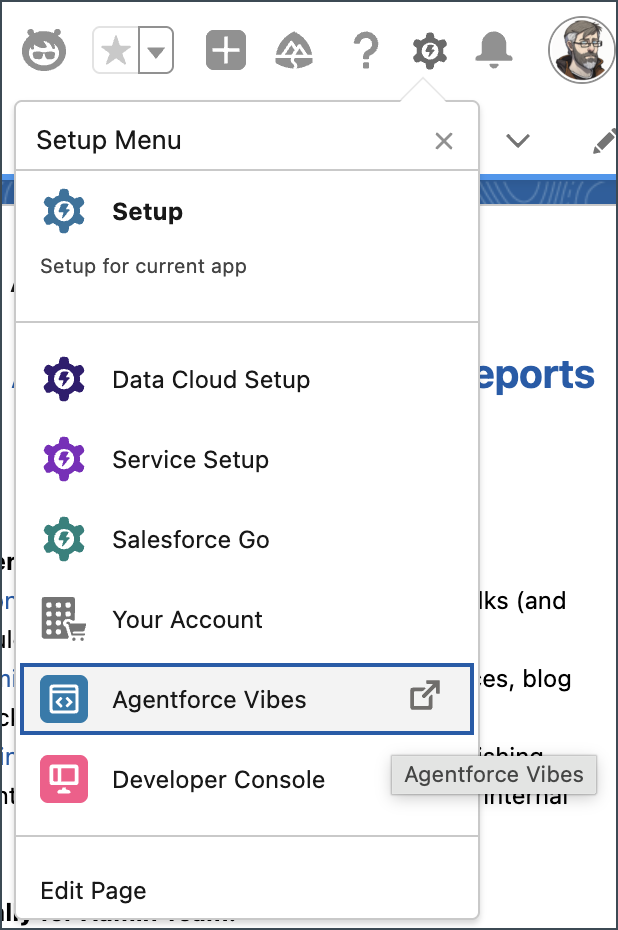
The other good news is that if you’re in a trial edition (which doesn’t have Agentforce Vibes in the Setup menu), you can still use the desktop version of VS Code.
For your first spin with Agentforce Vibes in your browser, check out Exercise 1 from the Vibes workshop.
For instructions on how to get up and running with the desktop version of VS Code, Trailhead has your back.
Note that if you’re using a trial version of Salesforce, like a Developer Edition, you’ll need to use the desktop version of VS Code.
If you have issues access the Agentforce Vibes IDE, checkout the Agentforce Vibes Trailblazer Group.
Quick tour of Agentforce Vibes
Let’s take a look at the Agentforce Vibes IDE.
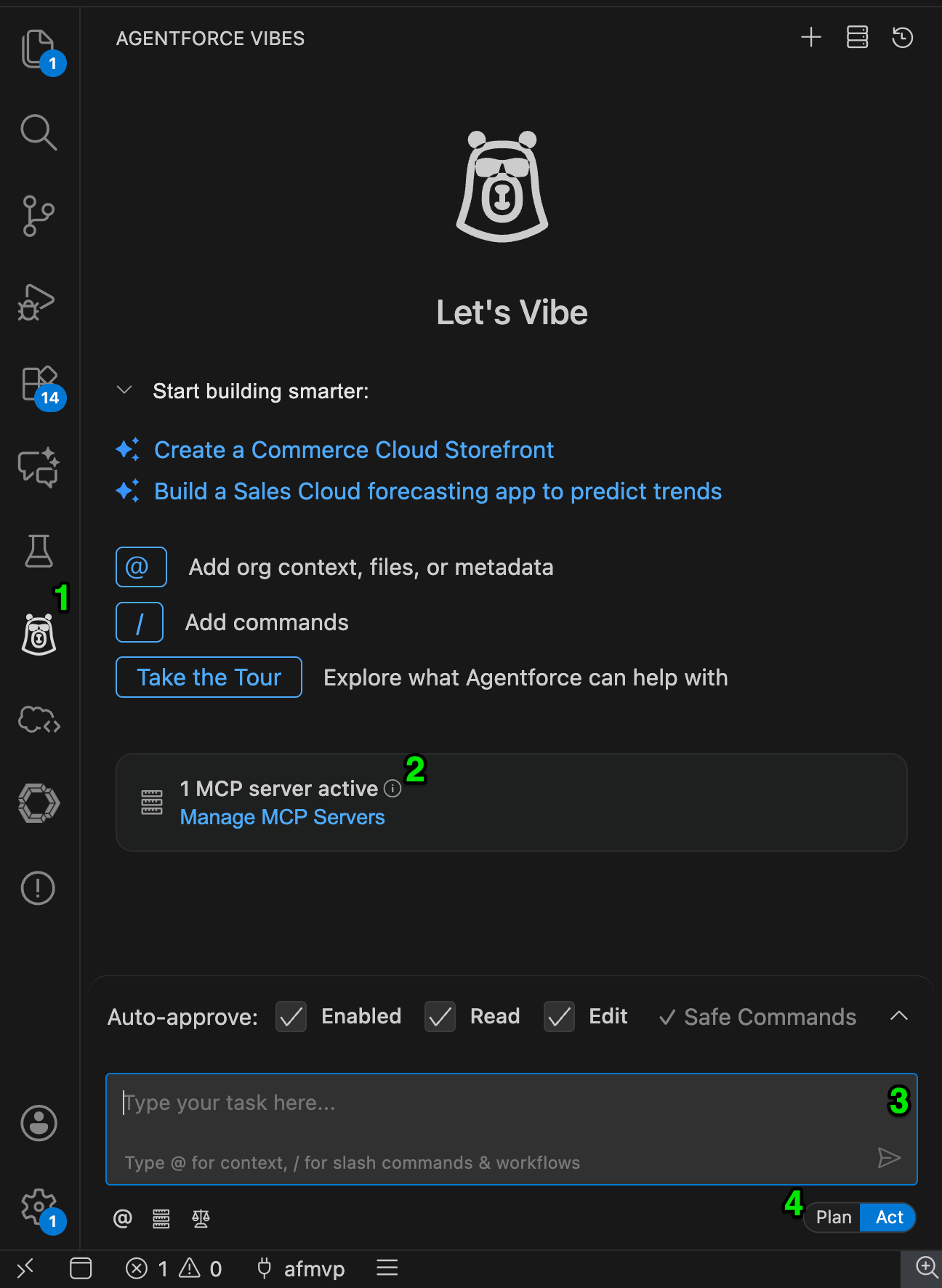
The highlights:
- You can always bring up Vibes by clicking the Codey Vibes icon.
- Vibes works its magic using Model Context Protocol (MCP)—see our guide on MCP for Admins for more. For now, it should be configured for what we need.
- Here’s where you’ll be having a conversation with Vibes. Note the approval checkboxes above, where you can select what actions Vibes can take automatically. It’s important to note that Vibes won’t deploy anything on its own (unless asked to). While it’s logged in to your org, it’s only modifying files it has localized—not directly editing your instance.
- Vibes has two modes: plan and act. In plan mode, you can architect possible solutions, while in act mode, Vibes will create and update files to create the solutions. Again, changes are only made to the files Vibes has downloaded and won’t affect your org until the changes are deployed.
A conversation with your org
Let’s put Agentforce Vibes into action. I’ve downloaded the metadata for the flows I have for a demo, which is as easy as:
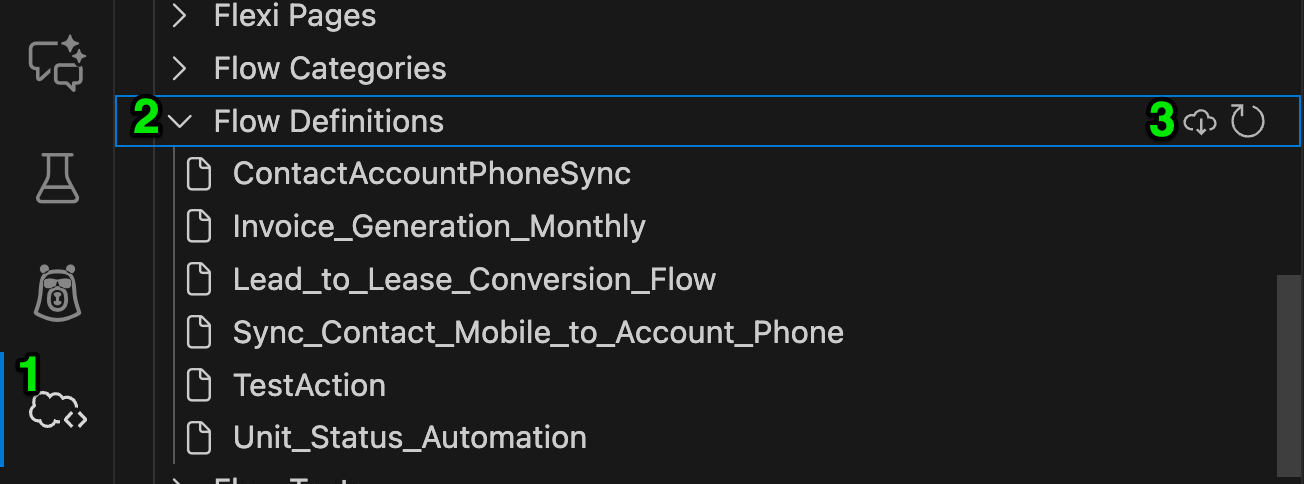
- Go to the Org Browser pane.
- Select your Flow Definitions.
- Refresh the list (if necessary) and download.
Remember, these files give Agentforce Vibes a version of your metadata to work with alongside your org without impacting your instance until intentionally deployed.
I’m going to use Vibes to dig into them and generate an analysis of them too. Running in act mode, let’s start by getting a list, the prompt simply being, “can you list the flows in this project”.
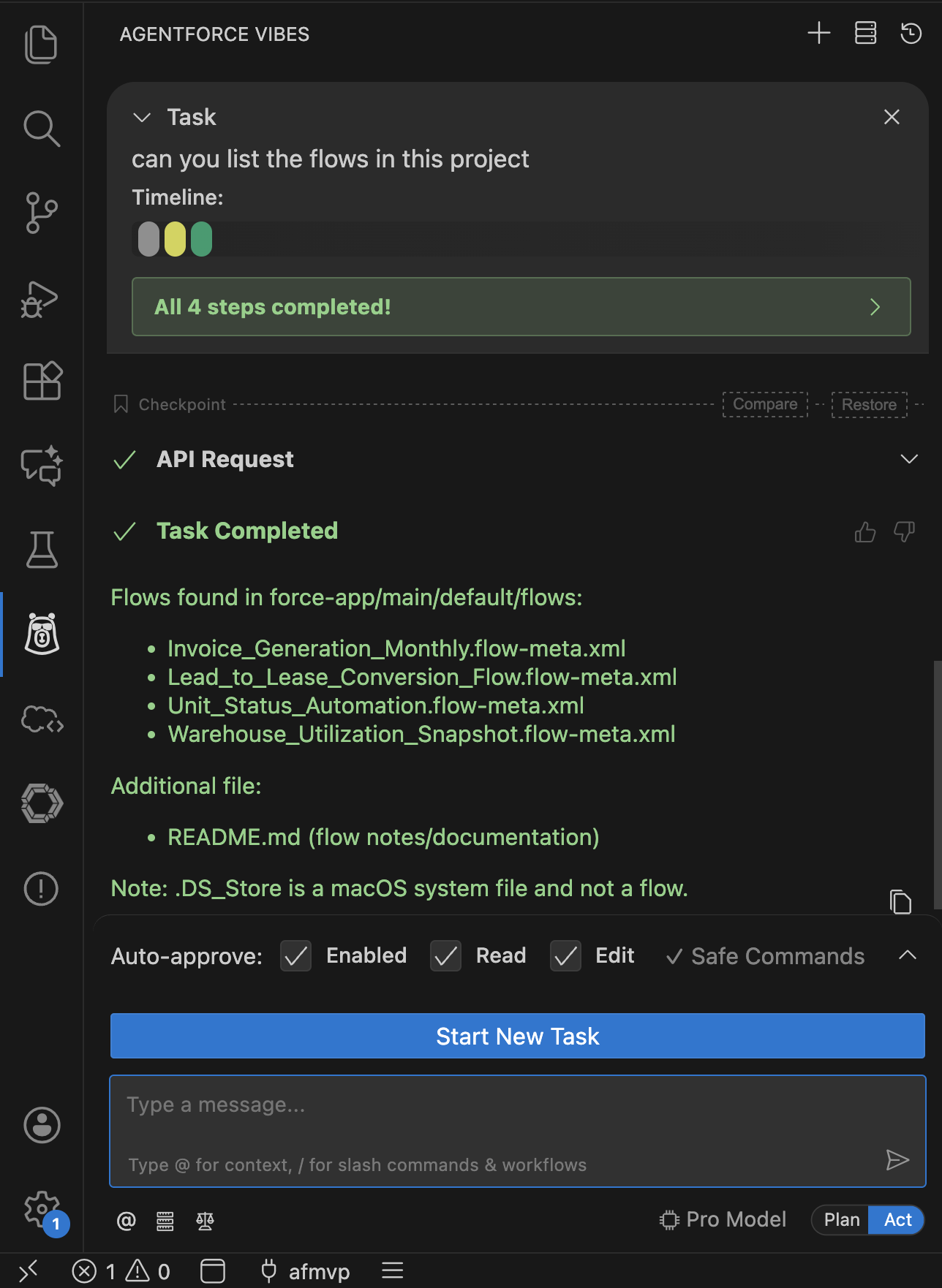
Vibes gives a step-by-step explanation of what it’s doing as it performs the task, and there’s a history log you can review. This is handy when the response might not be what you were expecting. Also, note that since this is a conversational interface, you can ask about actions that have been taken. Let’s get a summary of the first flow by asking, “can you summarize the first one”—and Vibes will know you mean the first one listed.
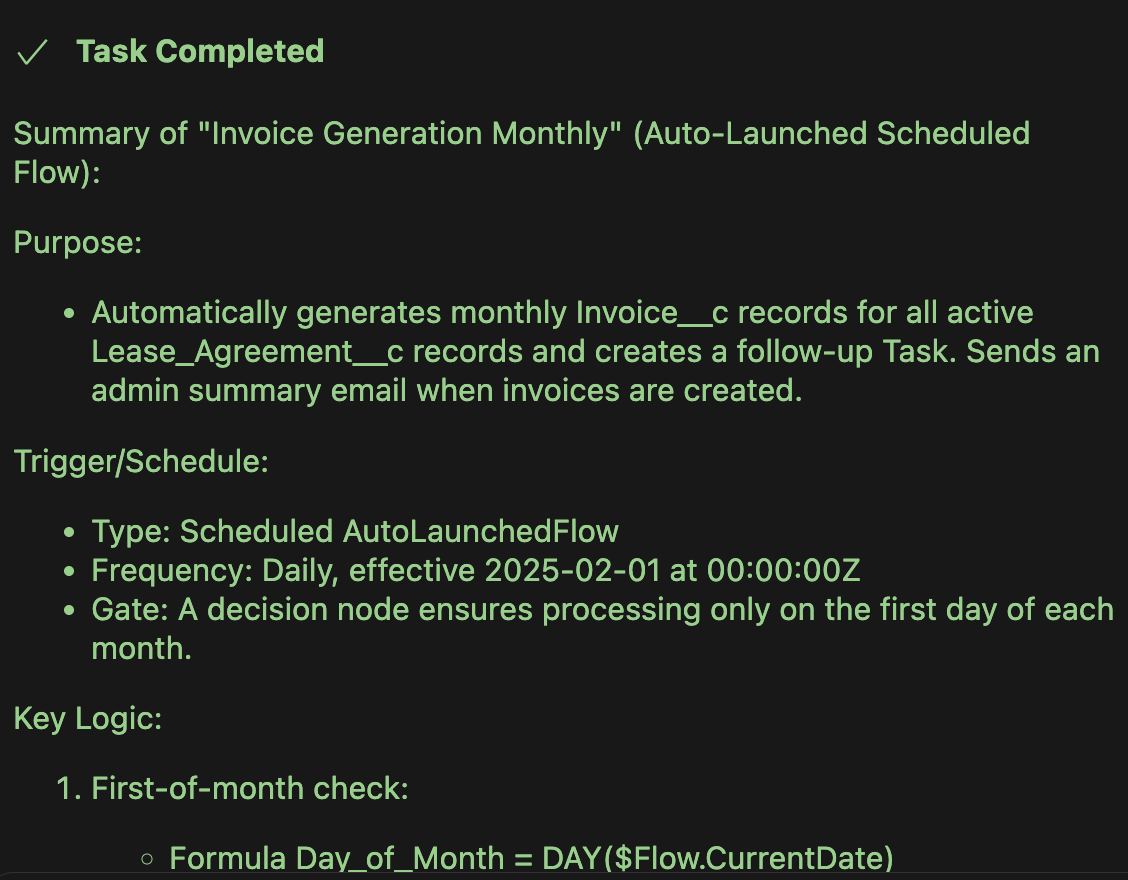
Now we have a good idea of what that flow is meant to do and how it’s doing it. But is it well structured? Let’s ask, “can you provide an analysis of that flow for best practices?”
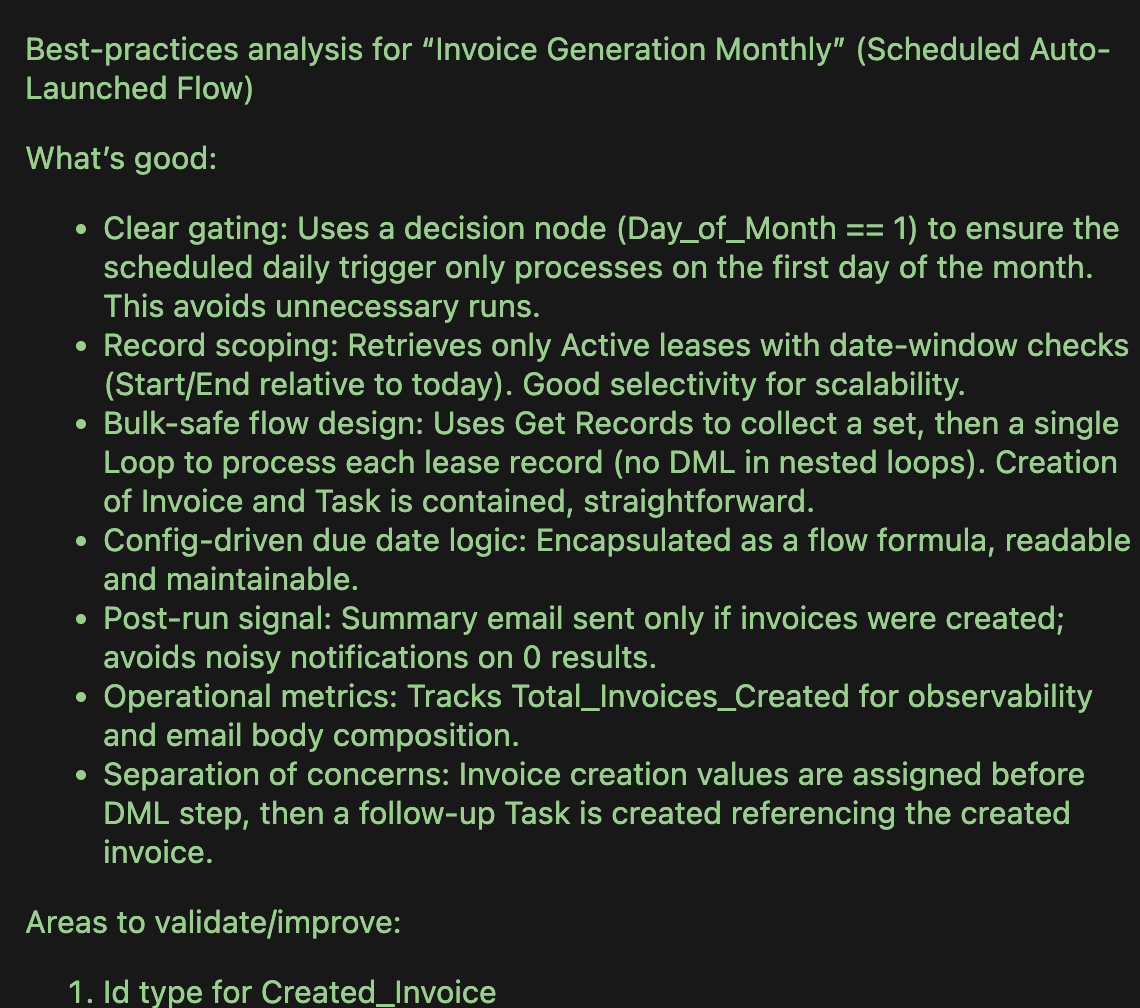
I’m armed now with an analysis I can share with my Flow Builder. My team is on Slack, so I can spin up a temporary channel to center around a review. If only I had a markdown file I could copy and paste into a canvas (using “Paste with Style”)… Well, let’s ask, “Can you convert to a markdown file?”
And voila:
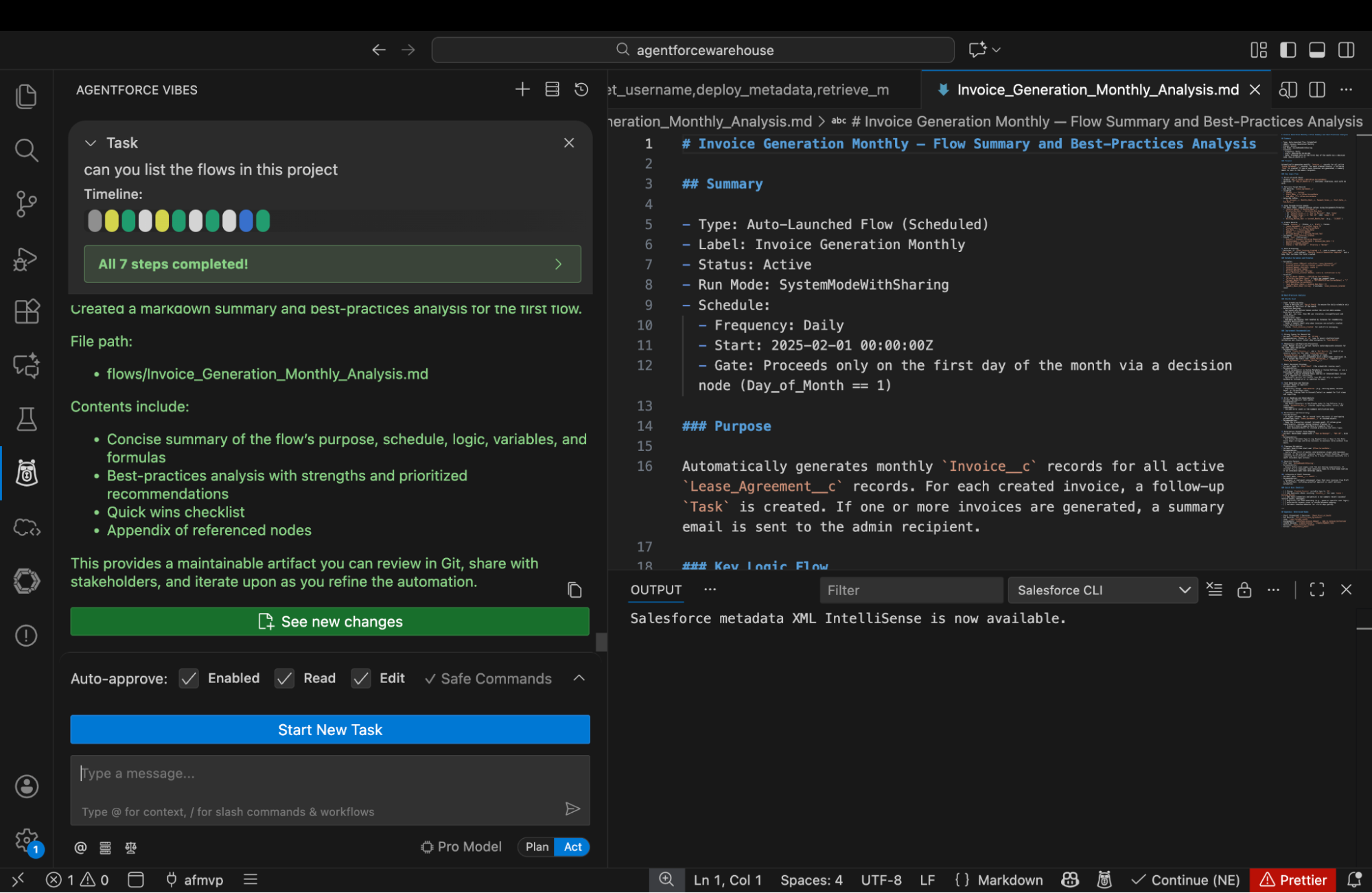
With markdown, I can copy and paste the contents directly from the preview panel on the right. Within minutes I’ve started a review of my existing flows with an actionable document at the end.
How to deploy
As I mentioned, any changes we’ve been making will exist within Vibes until it has approval to deploy it. Our example above has files you can easily copy and paste for your teams, but what if we tried a prompt like:
- “Create a new Project__c object with an autonumber field {proj-0000}, name, start date, and number of days fields that represent a simple project record.”
This will generate the metadata for a custom object and its related custom fields, but only within Agentforce Vibes. Depending on the plan Vibes created, it may ask for approval to deploy that new object once created—but you can reject it if you want to preview the metadata first. Once you’re ready to deploy it to the default org, you can use a prompt like:
- “Deploy this metadata to my org using the Salesforce DX MCP Server.”
Then, the MCP server will use two commands, get_username and deploy_metadata, to confirm the org to deploy and attempt to deploy. If it hits any deployment errors, it will attempt to correct any metadata errors in order to successfully deploy.
More to come
This only scratches the surface of what Agentforce Vibes can bring to the table when it comes to helping admins work with their orgs and users. Keep an eye on this space for more advanced topics in the future, like how to use MCP to integrate Vibes with other systems, how to configure the MCP server to your liking, deploying to multiple orgs, and more advanced prompt use cases.
Resources