Starting out as a Salesforce Admin can feel like stepping into a world of endless clicks, tabs, and thinking, “Wait…where did that setting live again?”
The good news? You don’t need to overhaul your org on day one to make an impact.
The fastest way to build confidence (and trust) is by stacking a few early wins: small, meaningful improvements that save time, reduce tech debt, and show your team what’s possible with the platform.
Here are 10 practical early wins every new Salesforce Admin should aim for.
1. Create a report that stakeholders actually use
One of the quickest ways to prove Salesforce value is through visibility.
Find one question leadership asks repeatedly — pipeline health, case volume, renewal risk — and build a report that answers it clearly.
Why it matters: A trusted report reduces spreadsheet chaos and helps teams make decisions faster.
Next step: Start with a standard report type and add only the filters and columns that matter.
Bonus points: Use this report as the foundation for your dashboard in Win #5 so stakeholders can quickly get up to speed with a visual snapshot.
2. Fix one small process for your users
Early on, look for friction.
Is there a manual step users complain about? A repetitive update? A confusing handoff?
Try a little SABWA (Salesforce Administration By Walking Around) and watch how your team actually works. You’ll spot friction faster than you think.
Pick one small improvement like an auto-filled field or a streamlined approval.
Why it matters: Tiny workflow fixes build credibility fast.
Next step: Ask users, “What’s the most annoying click you do every day?”
3. Clean up the data in one confusing field
Every org has it: the field nobody understands.
Start by identifying a field with:
- Duplicate meanings
- Outdated picklist values
- No help text
Why it matters: Cleaner data today prevents tech debt tomorrow.
Next step: Add field descriptions and help text before making bigger changes.
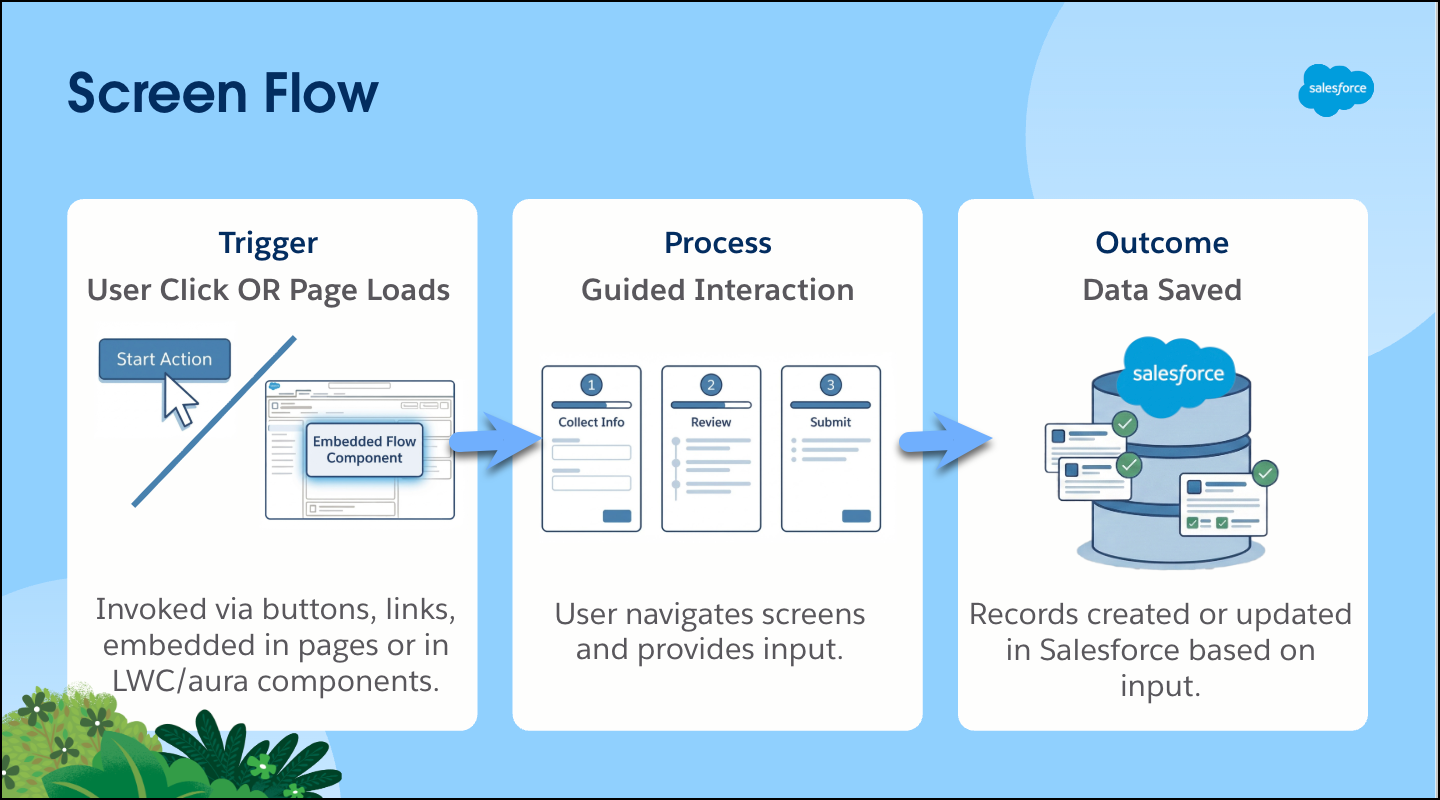
4. Build a simple screen flow that saves time
Flows don’t have to be complex to be powerful.
A guided screen flow for a common task (like logging a case or creating an opportunity) can reduce errors and speed up work.
Why it matters: Small automations reduce repetitive clicks and improve consistency.
Next step: Start with one screen plus one update.
5. Set up a dashboard for a team’s daily view
Dashboards help users see what matters without digging.
Build one for a specific team:
- Sales reps
- Support managers
- Operations leads
Why it matters: Dashboards turn Salesforce into a daily habit.
Next step: Keep it to 3–5 key components.
6. Run a quick permission audit
User management is one of the most important admin responsibilities, ensuring the right people have the right access using permission sets.
Start small:
- Review access to one high-impact object.
- Check for unused permission sets or overly broad access.
If you spot gaps or unnecessary access, then make targeted updates.
Why it matters: Thoughtful access controls keep your org secure, scalable, and easier to manage over time.
Next step: Follow the principle of least privilege.
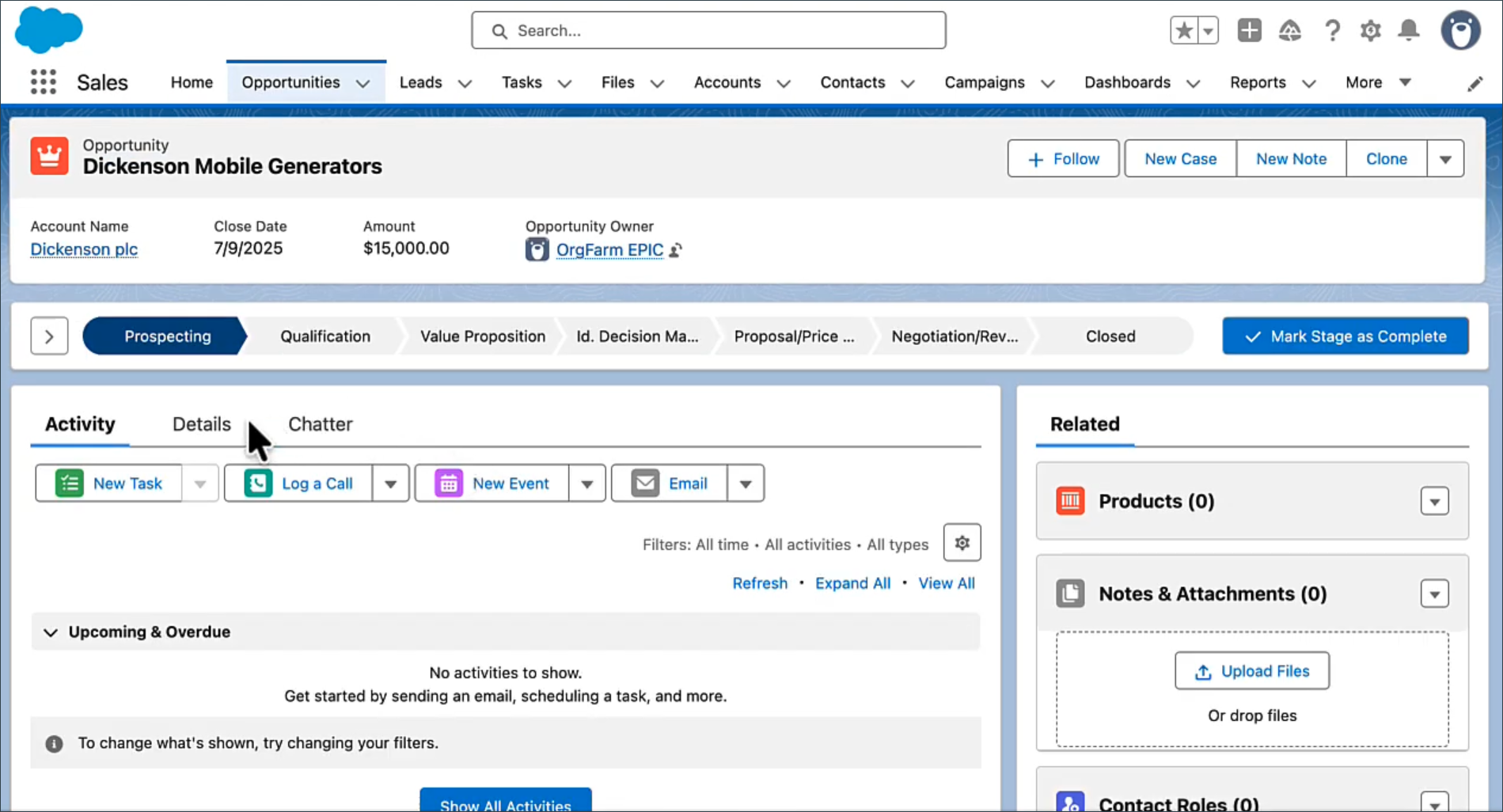
7. Create a consistent page layout experience
If users don’t know where to click, adoption suffers.
Standardize the page layouts across one key object so fields, related lists, and actions are in consistent places for every profile.
Why it matters: Better layouts reduce training time and confusion.
Next step: Watch how real users navigate before making changes.
8. Document one ‘Admin FAQ’ for your org
New admins often get the same questions repeatedly.
Start a simple internal doc or Knowledge article with:
- How to request access
- Common troubleshooting tips
- Where to find help
Why it matters: Documentation prevents bottlenecks and supports self-service.
9. Reduce tech debt by reviewing automation dependencies
Before modifying or deactivating automation, understand what already exists and what depends on it.
Use tools like the Usage tab in the Automation Lightning App to gain visibility into flow dependencies and assess the impact of your changes.
Why it matters: Dependency awareness prevents broken processes and future rework.
Next step: Check impact before editing an existing flow.
10. Align your next project to business impact
The most valuable admin work is tied to real outcomes, even if you’re not the one choosing the roadmap.
When evaluating what’s next, ask:
- Will this save users time?
- Will it improve data quality?
- Will it reduce risk or manual work?
If large initiatives aren’t in your control, start with foundational improvements. Strengthen your metadata by adding clear descriptions to all key fields on core objects like Accounts, Contacts, and Opportunities. Use help text intentionally, only where users truly need guidance or clarification. Standardize picklist values where needed.
Why it matters: Early wins should strengthen long-term org health and position you as a trusted advisor, not just a ticket taker.
Next step: Keep a visible backlog of business pain points and partner with stakeholders to prioritize the simplest high-impact fix.
Your next win starts here
Being a new Salesforce Admin isn’t about doing everything at once. It’s about delivering steady improvements that build trust.
By focusing on early wins like cleaner data, smarter automation, and user-friendly experiences, you’ll reduce tech debt, save your team time, and set yourself up for bigger projects down the road.
Your next step: Pick one win from this list and start this week!
Resources